Stop Doing the Donkey Work
Build a personal AI assistant that lives on your Mac, knows your projects, and handles the donkey work, so you can spend your day on the work that matters.
You already know the feeling
You are good at your job. But half your day is not your job. It is email triage, task shuffling, filing, tracking, scheduling, following up. The donkey work.
You sit down to do real work and spend the first hour sorting email. You open your task manager and spend twenty minutes reorganizing instead of doing. You have a system. Maybe several systems. They all need feeding. Notes here, tasks there, calendar somewhere else. None of them talk to each other.
You have probably tried AI. Asked ChatGPT a few questions. Maybe had Claude write a draft. It was interesting, but it did not stick. The next day, it forgot everything. You started over. Again.
The problem is not the AI. The problem is that a chatbot is not an assistant. An assistant remembers. An assistant knows your projects, your preferences, your people. An assistant does not need to be told the same thing twice.
That is what we are building.
Meet your Robot Assistant
The Robot Assistant is a persistent AI system built on two tools. Obsidian and Claude.
Obsidian is a free, powerful note-taking app that stores everything as plain text files on your Mac. Claude is an AI assistant from Anthropic that can read, write, and manage those files. Together, they become something neither can be alone. A personal assistant that actually knows your life.
Here is what a morning looks like. You sit down and say “briefing.” Your assistant checks your calendar, scans your email for anything urgent, reviews your active projects, and gives you a rundown of the day. You work through your tasks. Your assistant tracks what got done. At shutdown, it reviews what happened, surfaces what needs attention tomorrow, and logs a journal entry.
Everything is stored as plain text files on your Mac. You own all of it. No subscription lock-in. No cloud dependency. No wondering what happens to your data if a company shuts down.
See what your robot assistant can do
Video one of the Field Guide. Sixteen minutes. No setup, no theory, just a tour of a working robot assistant in action. You will see the morning briefing, an email session, a file-naming pass, and a weekly review, all run from natural language.
Watch this before you buy. If it does not click, the rest will not either. If it does click, this is the system you’ll be building.
A system, not a toy
By the end of the Field Guide you will have a working assistant that handles real work. Not a chatbot. A system.
Morning briefings
Start every day with a clear picture of what’s on deck. Calendar, tasks, email, projects, without opening six apps.
Email processing
Your assistant triages the inbox, drafts replies in your voice, flags what needs attention, and files the rest.
Tasks without the busywork
No more dragging cards between columns. Tell your assistant what needs doing. It tracks everything, including the work that repeats weekly, monthly, quarterly.
Document filing
Drop scanned PDFs into a folder. Your assistant reads them, names them properly, and files them in the right place. Automatically.
Project tracking
Your assistant knows your active projects, their status, and what’s next. Ask for an update and get one. Across everything.
Weekly reviews that happen
Your assistant gathers the data, walks you through the review, and produces a plan for next week. An hour becomes fifteen minutes.
A home base in Circle
The course lives in Circle, not a download. All the videos, workshops, and live Robot Builders Club sessions are there, alongside a community of people building the same kind of system you are.
The early-adopter advantage
AI-powered personal assistants that manage your files, your tasks, and your workflows are going to be common. That is not a prediction. It is a trajectory. The tools are here. The capability is here. Most people just have not figured out how to put the pieces together yet.
The people who build these systems now will have a tremendous advantage. They will understand how to work with AI in ways most people will not figure out for years. They will have systems that are already trained, already refined, already handling real work, while everyone else is still asking chatbots trivia questions.
The Robot Assistant Field Guide is for people who want that advantage now.
“This has transformed my use of AI”
“David doesn’t just teach about what is possible. Within minutes of finishing the first couple of videos you have the basis for the Robot up and running. The uses and potential are just amazing.”
“I’m not a developer. I don’t write code. But the method David teaches made the whole thing feel like following a recipe. My robot assistant was running by the end of the first weekend.”
“I often struggle to do my weekly reviews because it feels like a slog. But having Claude take me through my weekly review this morning, review all that stuff for me and bring me back a summary, made the process feel so much more lightweight and fun.”
“Tasks that normally took me an hour and a half are now handled with a simple voice command and completed in seconds. The AI Robot doesn’t just save time. It makes complex workflows simple and manageable.”
“I was not starting from zero. But everything was scattered. Every session started from scratch. David delivers a system, a real architecture that becomes the foundation for everything you build on top of it.”
“I’d recommend it to anyone who’s already using AI but knows there’s another level they haven’t hit yet. The biggest thing is that the value keeps compounding. Every week my system gets smarter because the foundation David taught me is built to evolve.”
“I’m thrilled with the Robot Assistant Field Guide. David’s explanations and pacing make the learning easy. Claude Cowork and Obsidian are new to me. But by video four, I’ve already built my first skill — and it addresses a major pain point. It takes a raw voice-memo transcript and extracts structured content: studio reflections, ideas, contacts, and next steps. Ready to work from.”
More from the people building one. Hover any card to pause.
“The best software investment I have made in 30 plus years. In less than a week the Field Guide fundamentally changed the way I work.”
“My donkey work has been reduced. I learned how to control and guide Claude Cowork to my advantage.”
“The Robot Field Guide is what I’ve been waiting for to get started with using AI on my Mac productively. The RFG has it all, step by step.”
“After literally video number four in the Robot Field Guide, I taught my robot to 100% get rid of the donkey work for two of three sources of laborious work in my job.”
“I was especially drawn to the concept of building my own personal assistant. In just a few days, I was able to create that assistant and assemble a small library of skills.”
“Helped me build the best personal assistant I ever had. Suddenly you have the best PA you ever had in the world.”
“It has been transformational. The processes, structures, and tools I was introduced to have completely changed the way I interact with AI.”
“This Field Guide is the perfect entry point if you want to start doing real things with AI.”
“The Robot Assistant gave me the framework. The skill structure, the index system, the iterative build process. It’s like LEGO for AI workflows.”
“I had Claude pull EXIF data, match timestamps from Drafts, and pull latitude and longitude to five decimals. This is a lot of fun.”
“I built a morning briefing that pulls my calendar, tasks, and weather into one summary. I check it before coffee every day.”
“I went from ‘this is neat’ to ‘this is how I operate now’ in the span of a few days. Skills, templates, connected tools that compound over time.”
“Things are moving scary fast. And you, as always, are an incredible teacher and guide.”
“This is my favorite Field Guide so far and a great introduction to this incredible new paradigm of personal computing.”
“David doesn’t just show you what buttons to click. He teaches you how to think about building skills.”
Who this is for, and who it is not
This is for you if
The work feels familiar. The frustration sounds right.
- You are a Mac user with some kind of productivity system, even if it is imperfect.
- You have tried AI chatbots, found them interesting, and never built them into your actual work.
- You are skeptical of the hype, but open to practical applications.
- You value control over your data. You prefer tools that work locally on your machine.
- You can organize files into folders. That is enough technical skill.
- You are willing to invest time upfront to build something that pays dividends for years.
This is not for you if
The Robot Assistant handles the donkey work. It does not replace you.
- You want AI to do your thinking for you. That is not what we are building.
- You want AI to write your proposals, your strategy, your relationships. Those stay yours.
- You want a magic chatbot you can ignore. This is a system. You build it. It earns its keep.
- You are looking for a one-click install. The whole point is that you understand what you’ve built.
Four parts, one Field Guide
Foundation Videos to get you started. Workshops to take it deeper. The Robot Builders Club to keep momentum. The Starter Kit to get you out of the blank page.
10 Foundation Videos
From zero to a working robot assistant. Each video includes a hands-on assembler step that builds your system piece by piece. By Video 10, you have a complete, personalized assistant ready for the workshops.
- What a Robot Assistant Actually Is
- How Your Assistant Thinks
- Setting Up Claude Cowork
- Your First Skill
- The Skill Index
- Connecting to Your World (MCP)
- Building Workflows
- File Naming and Folder Structure
- Testing and Growing Your System
- Living With Your Robot Assistant
The Workshop Series
This is where the real building happens. Ten hands-on working sessions from the original live run, all recorded so you can work through them at your own pace.
- Getting real with your first daily workflow
- Email processing and the inbox sweep
- Calendar and daily planning
- Task management without the busywork
- The Personal CRM
- Review cadences and weekly planning
- Content pipelines and creative workflows
- Integrations, MCP, and connected tools
- Building your own skills
- Spotlight and live Q&A
The Robot Builders Club
The ongoing room, and it comes with the Field Guide. Season Two runs every Monday from September 7 through February 22. Bring what you are stuck on, see what other people are doing, leave with something working.
- 23 live sessions, September 7 through February 22
- All 22 Season One sessions are recorded and waiting for you
- Bring your build, get unstuck on the spot
- Cross-pollinate with what other builders are doing
- Every session is recorded and posted a few days later, so missing one live costs nothing
The Starter Kit
The vault template, the starter skills, and the AI-powered assembler that builds a robot customized to your work. No blank page, no building from zero. Start with a working foundation, then make it yours.
- A starter vault with the folder structure already in place
- A library of starter skills that work on day one
- The AI-powered assembler that personalizes everything to your work
- Sample workflows you can copy or rip apart
One price. Everything included.
No subscription. No upsells. No tiers. One purchase, lifetime access.
Everything, $249
- 10 Foundation Videos, about 3.5 hours total
- 10 recorded live workshops, work through them at your pace
- The Robot Builders Club. Season Two’s 23 live sessions, September through February, plus all 22 Season One recordings
- The Starter Kit, a vault template with starter skills and sample workflows
- The AI-powered assembler that personalizes everything to your work
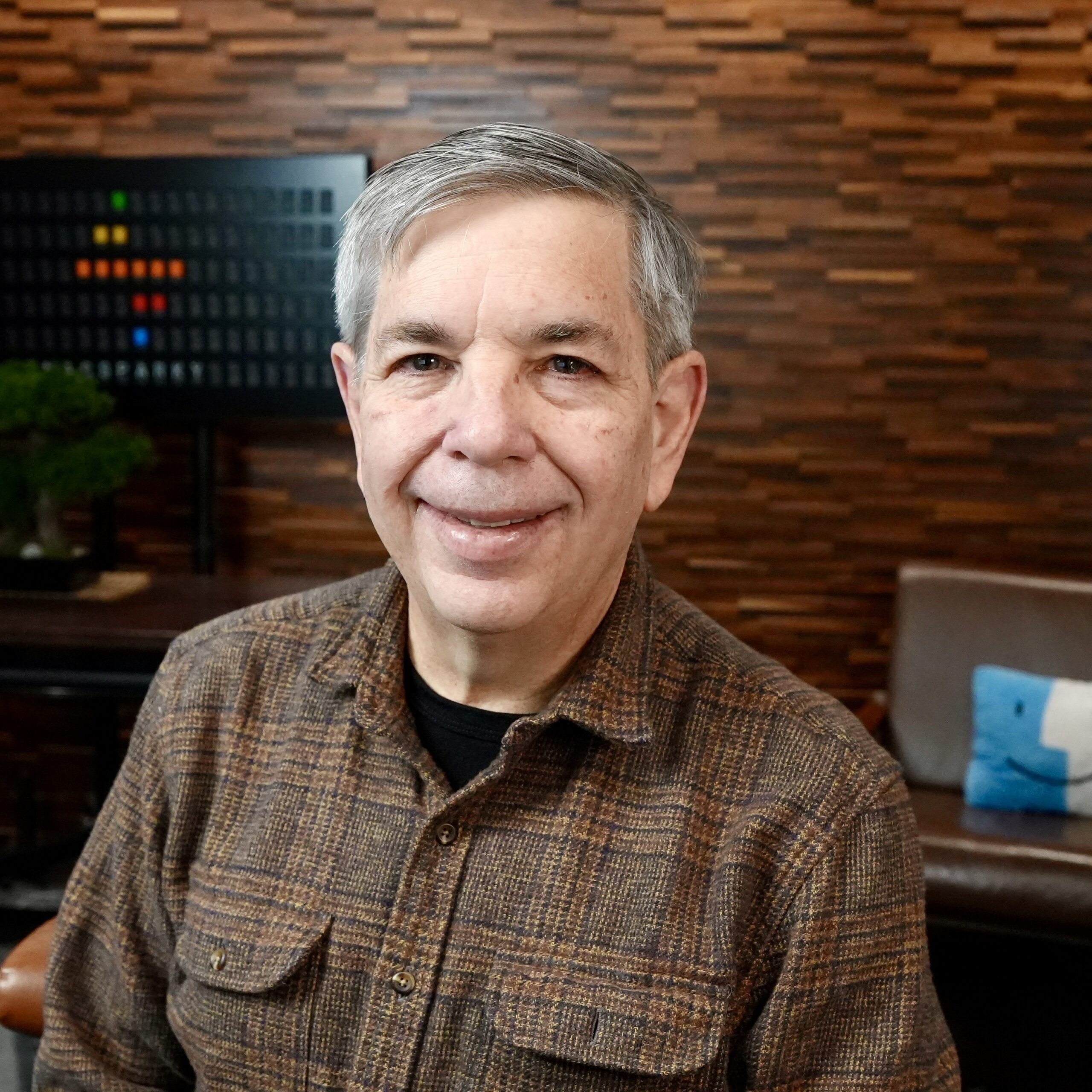
David Sparks
David started MacSparky in 2007 and has spent the years since teaching people to get more out of their Apple technology. The blog runs every week, the Mac Power Users and Focused podcasts run every week, and the MacSparky Field Guides cover the big topics in depth. The MacSparky Labs community is where the live work happens.
David has been building and running his own Robot Assistant system every day for months. The morning briefings, the email processing, the document filing, the weekly reviews. It is all real. This Field Guide teaches the system he actually uses, not a theoretical framework.
He has been teaching this material to the MacSparky Labs community, refining the curriculum through hands-on workshops and real-time feedback. The Robot Assistant Field Guide is the result of that process. Tested, iterated, and proven to work for real people with real workflows.
Frequently asked
Do I need to know how to code? +
No. The entire system is built through natural language instructions and plain text files. If you can write a sentence and organize files into folders, you have all the technical skill you need.
What software do I need? +
A Mac, Obsidian (free), and Claude (requires a subscription from Anthropic). The Field Guide walks you through setting everything up.
What if I already use Obsidian? +
You’re ahead of the game. The foundation videos cover setup for beginners, but the skills and workflows will be new territory even for experienced Obsidian users.
What if I’ve never used Obsidian? +
That’s fine. Video 2 covers installation and setup from scratch. Some of the best students will be starting fresh.
How long until I have a working system? +
By the end of the 10 foundation videos (about 3.5 hours), you’ll have a functional robot assistant. The workshop series takes it deeper over the following weeks.
What if I can’t make the live workshops? +
The original ten-workshop run is over. Every workshop is recorded and waiting for you, so work through them at your own pace. The live part happens in the Robot Builders Club now, and it comes with the Field Guide. Season Two runs every Monday from September 7 through February 22, 23 sessions where you bring questions and see what other people are building. Sessions are recorded and posted a few days later if you can’t make one.
Is my data safe? Does it go to the cloud? +
Your files stay on your Mac in plain text. Nothing is uploaded to any cloud service. When you interact with Claude, your conversation goes to Anthropic’s servers (as with any AI tool), but your vault files remain local.
Can I use this system on iPad or iPhone? +
The robot assistant is built on Claude’s Cowork mode, which currently runs on Mac. You can access your Obsidian vault on iOS for reading and editing, but the AI assistant features require your Mac.
What if AI changes significantly during the course? +
That is what the workshops and the Robot Builders Club are for. The curriculum adapts to new developments. The principles, structured instructions, plain text, local data, will remain relevant regardless of which AI model you use.
I already use OmniFocus, Things, or Todoist. Do I need to switch? +
You do not have to, but the Field Guide teaches a task-management approach built into the robot assistant system. Many people find it replaces their standalone task manager. The workshops will help you decide what works best for your setup.
Actually, that’s exactly the point
It can. You just need to build the system. The Robot Assistant Field Guide shows you how.