
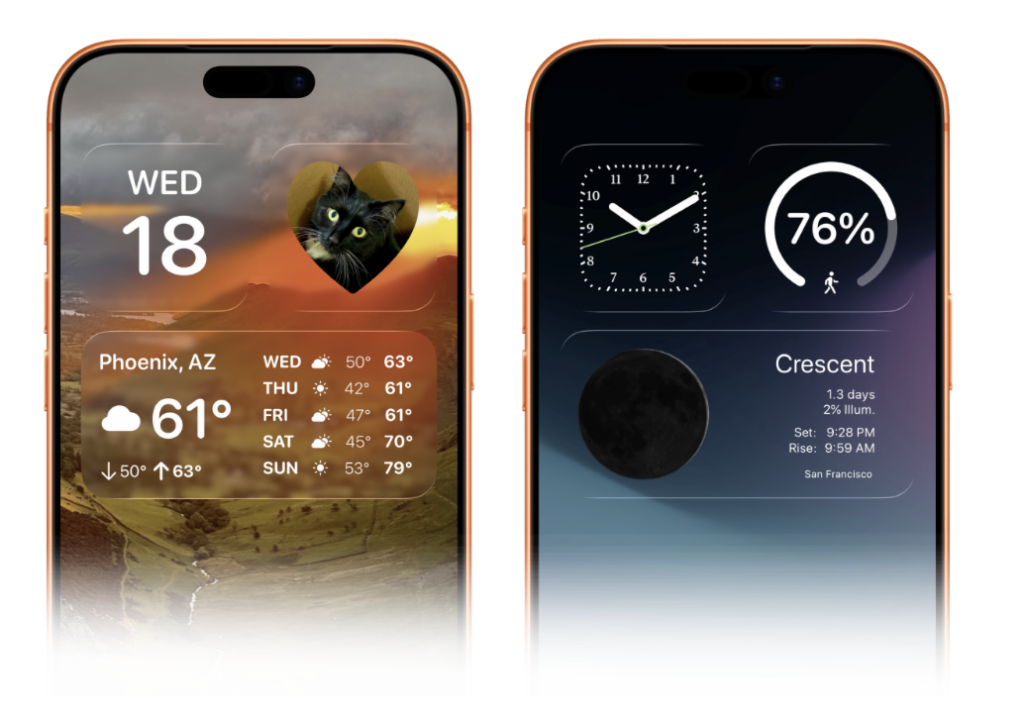
Widgetsmith 8.2 just shipped, and it brings a feature I’ve been wanting. Your widgets can now go clear or frosted, letting your wallpaper show through.
Old-school Widgetsmith users will remember the trick. You’d screenshot your wallpaper, feed it into the app, and Widgetsmith would generate a background for each widget that perfectly matched whatever sat behind it. No visible borders. The widget just disappeared into your wallpaper. It was clever and it looked fantastic.
Then Apple added the shadow box around widgets, and that trick stopped working. You can’t fake invisible edges when iOS draws a visible container around every widget on your Home Screen.
Widgetsmith 8.2 is the answer to that. It’s not the same seamless blend we used to have, but it’s as close as we’re going to get. Your widgets can now be clear or frosted, so your wallpaper actually shows through instead of being covered by an opaque box.
The update also adds photo backgrounds. You can put any image behind your widgets. Family photos behind a clock widget. Your dog behind the weather. A favorite pattern behind your calendar. It’s a nice touch for people who want their Home Screen to feel more personal.
If you care about how your iPhone looks (and if you’re reading this, I suspect you do), grab the Widgetsmith 8.2 update. David Smith and his team keep finding ways to give us the customization that Apple won’t.