Some Quick, Random Thoughts Following the Apple WWDC Keynote

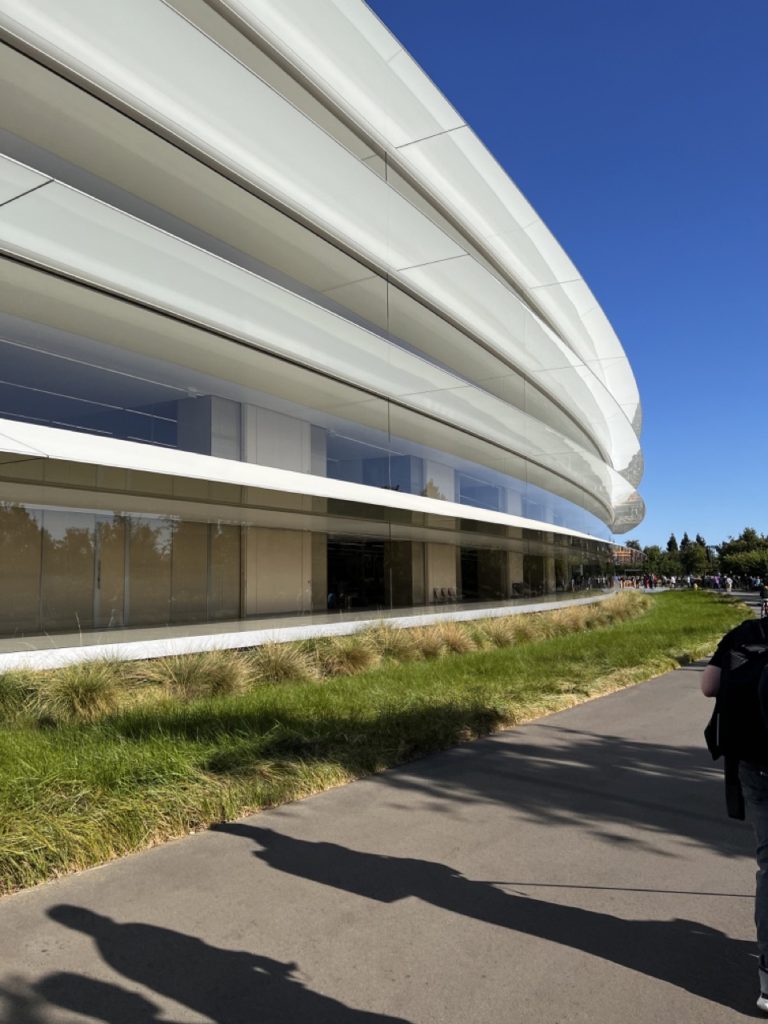
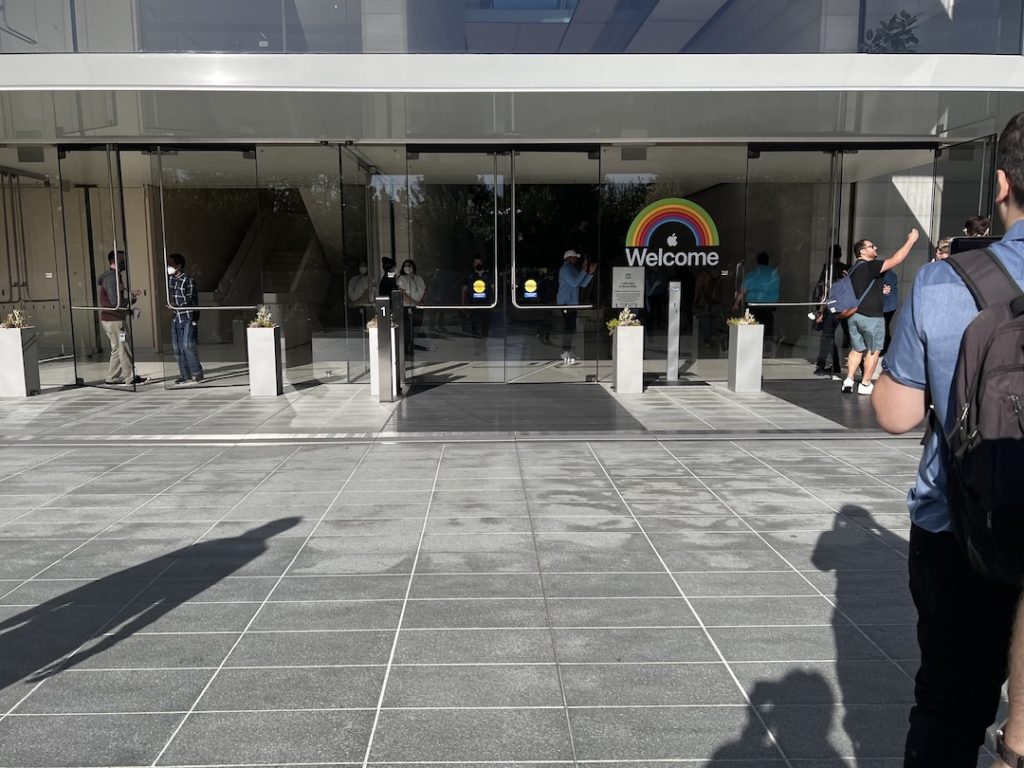
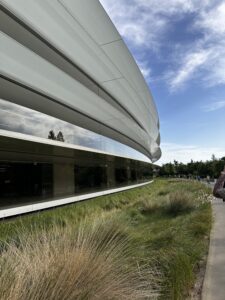
Here I am at Apple Park, having spent the morning watching the keynote event on campus. It was a lot of fun and, of course, I have thoughts:

The Software

  • The software updates were more robust than I expected. I’d originally heard this year was going to be primarily bug fixes with everyone at Apple focused on Vision Pro, but that wasn’t the case. Even if they hadn’t introduced the Vision Pro, it was a good year in general.
  • Live widgets on the Mac? Yes please.
  • I like the changes to watchOS. The widgets feel like they are taking another run at the now-abandoned Siri face. I thought it was a good idea then. Hopefully they nail it this time.
  • They spoke about using a new voice recognition engine on all platforms. I’ll be testing that … soon.
  • We didn’t hear much about Apple’s productivity apps during the presentation. It wouldn’t surprise me to find out there are improvements that they didn’t discuss.
  • Messages has to be the most commonly used iPhone app (in the US at least). It makes sense that they are continuing to improve it.
  • Again we heard about gaming. I think that ultimately Apple is going to have to doing a better job of courting AAA game developers but it’s nice to see they are now actively working on it. For years it felt like they’d just given up on gaming.

The New Macs

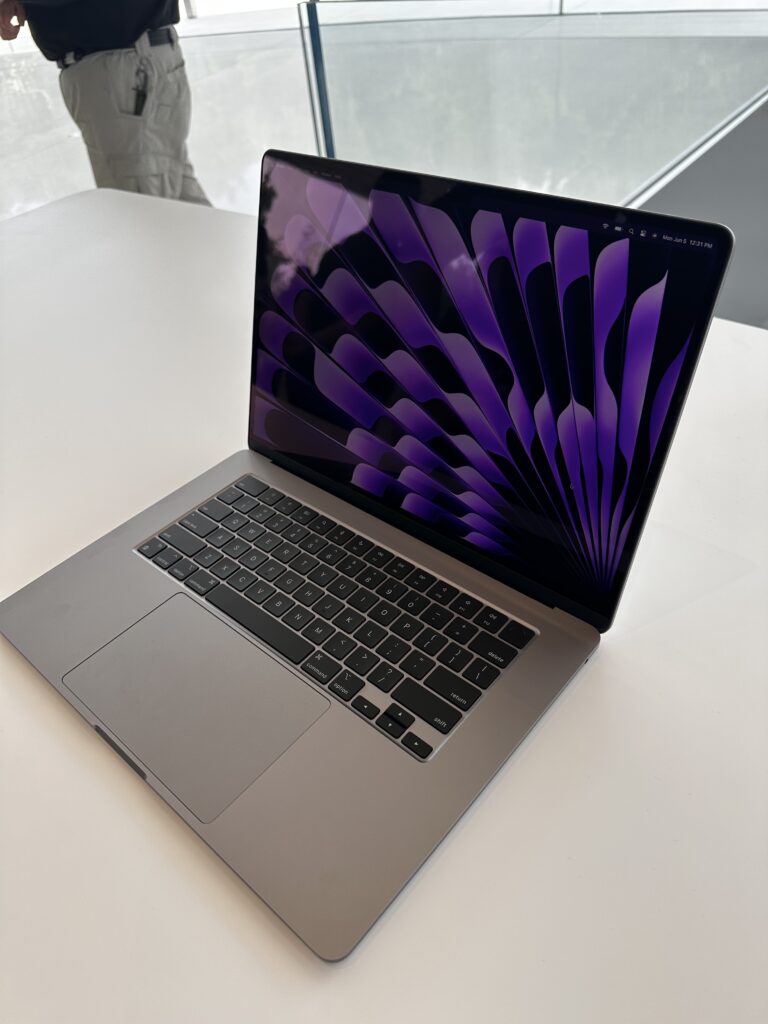
  • The new 15-inch MacBook Air was expected, but still nice to see. It’s basically a 13-inch MacBook Air, but bigger. I spent some time with one after the event. The lack of pin-holes for speakers on either side of the keyboard makes it look strange to me because I’ve never seen a large Apple laptop look like that. On the plus side, that’s one less place for water to get in.
  • The M2 Mac Studio looks exactly like the M1 model. However, I’m pleased that it got an annual update to the M2. There were rumors that they would skip years with the Mac Studio and I’m glad that’s not the case. Now that Apple makes its own chips, I’d hope that everything gets updated with each new M-chip iteration. (I’m looking at you, iMac.)
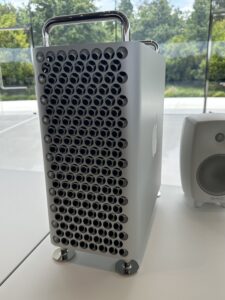
  • The Mac Pro feels a bit of a compromise. I spoke to an Apple rep that confirmed the Mac Pro will not run external video cards. It does, however, have a lot of slots if you need more storage and I/O. I’m not sure what else it will run but I’m guessing we’ll hear about it soon.
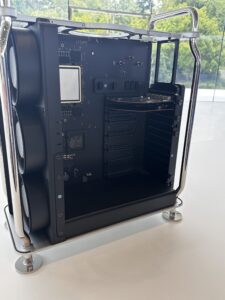
  • The new Mac Pro has the nicest looking logic board I’ve ever seen.
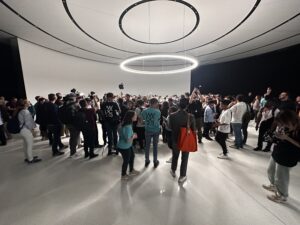
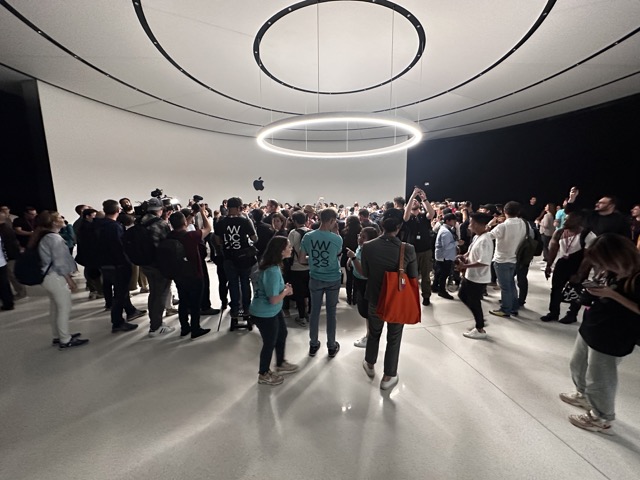
  • They had some of the units on display in the Steve Jobs Theater. The crowd around them had the same vibe as the Macworld when they announced the iPhone.
Apple Vision Pro

  • When it comes to introducing a new product category, Apple remains the best company in the world to do so.
  • Speaking of messaging, Apple really was leaning into the Vision Pro as an augmented reality device, not virtual reality. I don’t recall them using the term “virtual reality” once.
  • The battery-in-the-pocket thing makes total sense given the early-days nature of this product.
  • Many times Apple explained how the Vision Pro is only a first step. There is no question that they have a whiteboard somewhere that says “Tony Stark Glasses” on it somewhere.
  • The real trick to this device will be the screen resolution and brightness. If it is going to try and trick the user into thinking they are looking through the glasses at the actual world, it needs to be convincing. This has been the downfall of VR devices I’ve tried in the past. If they can stick this, it will be game changing.
  • I think the whole way the device is aware of your surroundings and lets you phase in and back out as necessary is clever. I can’t see myself keeping the Visual Pro headset on while talking to someone for more than a few seconds, but I think they are on the right track.
  • Turning it into a 3D camera is cool, but the idea of watching my daughter blow out birthday candles with that thing strapped to my head repulses me.
  • $3,499. I was fooled. I thought they’d come in well below $3,000. With that price, this is very much an “early adopter” product.

The Event Vibe

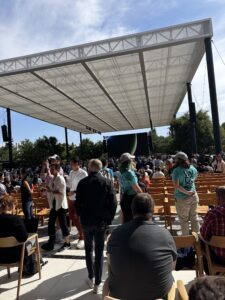
  • Apple has the “Keynote at Apple Park” thing nailed down at this point. This year they added shade. This shade is not just a tarp, but a metal structure with footings. They’ll be doing this again next year.
  • As always, it is nice reconnecting with friends from both the media and Apple. This part makes me miss the old days of Macworld, where it was a true gathering of the tribe.
  • It is amazing at how densely Apple packs information into their presentations these days.

And now I have an appointment to light this computer on fire with a beta. I’ll see you on the other side. Below are some pictures from the event.
Sparky Summarizes the Platforms State of the Union (MacSparky Labs)

Every year, after the WWDC Keynote, Apple does a separate “State of the Platform” address where it breaks down the upcoming changes as they impact software developers. Where the WWDC Keynote is mostly for the public, the State of the Platform is mostly for developers. Nevertheless, there are a lot of good nuggets of information there that are useful to power users. In this audio, Sparky summarizes a few hours of video into 13 minutes…

This is a post for MacSparky Labs Members only. Care to join? Or perhaps do you need to sign in?

Reflections on WWDC 2022

I’m writing these words in a corner of the San Jose airport as I wait to board my plane and head home after spending a satisfying few days at and around Apple Park. I didn’t expect to get invited by Apple to WWDC this year, but happily agreed to when they called.

The Worldwide Developers Conference has had many iterations over the years. I’ve attended it in San Francisco and San Jose. This year, with COVID, they held it at Apple Park itself. Apple Park is an amazing place and I will write a separate post about that, but suffice it to say it is one of the most impressive buildings on the planet. Holding WWDC at Apple Park lent a vibe of Apple letting down its guard for its developers. That, plus so many kind reunions following the worst days of COVID, gave the whole event an emotional charge that I did not expect. I was so happy to see friends that I’ve been unable to see for so long. I wasn’t alone. Moreover, being at Apple Park made so much more of a connection for everyone than downtown San Jose.

Talking to Apple folks, it sounds to me like they aren’t certain what the path forward is for WWDC is, but having attended the Apple Park event, I think there is no question that this week should be the model. This makes the live event smaller, but better, while also allowing Apple to primarily focus on those folks attending remotely. There are 34 Million registered developers. If Apple hosts 1,000 of them at Apple Park, that is 0.00003%. If Apple hosts 5,000 of them at a convention center, that is 0.0001%. Either way, they should be focused on the other 99.999% attending remotely.

I doubt future WWDCs will feel as emotional as this one did. Indeed, since that was a result of us surviving a global pandemic, I hope there will never be one so emotional. Those that do attend any future WWDC at Apple Park, however, will have a great time.

A Few Thoughts on Apple’s WWDC Announcements

Hooray. I got to watch the WWDC Keynote today in Apple Park! I have lots to report on in the coming days but for now, here are a few thoughts.

The iPad

  • It was really nice today seeing some pro-user features make their way to iPadOS. Stage Manager was first announced in relation to the Mac, but once I saw it, I knew immediately, it’d also be on iPad. This paradigm looks to be a lot easier for people to understand and use. Putting it on both iPad and Mac means knowledge on one platform will be usable on the other. These are all good things.
  • Custom toolbars? Yes, thank you. I like this feature because it makes sense on the iPad interface. Toolbar buttons are big and press-able by our meaty, monkey hands. However, not all of us want or need the same buttons. I hope all the productivity app developers jump on this.
  • External display on the iPad is also overdue, but appreciated. I’ll be curious to see how workflows evolve to support iPads connect to extra, non-touch screens.
  • I’m particularly interested in the new dictation features. QuickType, where you can both type, tap, and dictate at once, should make dictation a lot more accessible to people. I can’t wait to test this out.

The Mac

  • I can see Stage Manager really landing with non-pro users. There are a lot of people that are just lost with their windows. I’ll have to spend some time with it before I can comment on it for power users.
  • Spotlight is creeping up on apps like Alfred but has a while to go. If anything, I expect the enhanced Spotlight features may whet people’s appetite for even more power features.
  • Passkeys sound promising as an alternative to passwords, but there is a lot more to learn here.
  • There definitely is a theme to sharing and collaboration. One of the biggest moves here is the shared Photos library. I can’t wait to test that.
  • Continuity Camera looks to me like a sleeper hit. When folks figure out they can stick their iPhone on their Macs and drastically improve their webcam with no further software or cables, look out.
  • I’m just digging in on the new settings window. Amen here. I suggest we now pour concrete over the grave of the old System Settings. We don’t want it coming back.

The M2

  • The incremental improvements of the M2 are better than I thought they’d be from the M1. It seems about a 20% increase. We’ll not have another huge leap like we did going from Intel to M1 for quite a while. 
  • Now that the stake is in the ground for M2 and the very much linear nature of the improvements of the subsequent M1 chips, it is pretty easy to see where we’re heading with the M2 performance chips. (2X, 4X, 8X, 16X?)

The New MacBook Air

  • I thought today we’d get a peek at the new Mac Pro and not get the new MacBook Air. So I missed that one on both accounts.
  • I was lucky enough to get to handle new MacBook Air for a few minutes. It really does feel like a miniaturized and squished MacBook Pro. It is just a bit lighter than the existing MacBook Air, but having been used to a 16” MacBook Pro, it feels very light.
  • The successor lost the wedge, but the new design still feels good.
  • I really wish the rumors of the colors had come true.
  • You can spec it up to 24GB of RAM and 2TB of storage.

watchOS 9

  • There is no surprise on the additional health emphasis. That said, they look to be some nice improvements.
  • Medication and sleep tracking look immediately useful to me. I think a lot of folks were looking for those features. (Or at least I was.)
  • I’m sad that we didn’t get more/better faces. That said, the new Astronomy and Metropolitan faces look like they are worth a try. 
  • One bit of good news: Some of the classic faces, like Utility, got updated to support rich complications.

A Few More Random Notes

  • I wrote this on a Mac running beta 1 Ventura. So far so good.
  • I am very interested in Freeform. I’ve been looking for an app like this for a long time.
  • It’s not lost on me that we got a lot of nice improvements to Apple Mail across all platforms. I’ll have more to say about this later.
  • The Weather app on the iPad!? That’s crazy. What’s next year? The calculator?
  • I thought we may get some changes to the Notes app to incorporate back-linking and some of the other changes going on in the notes world. Nope.

WWDC 2022

Yesterday we got word that Apple’s Worldwide Developers Conference is set for June 6-10. The event will be (nearly) entirely virtual. The only exception, as Apple explains, will be for a select group of developers to join a live keynote on the Apple campus. If they announce new hardware, I’d expect there will also be some press invited.

The question is whether this is just another step toward the everybody-in-one-town WWDC we had in 2019 or a refinement of the new (mostly) virtual format. I don’t have any inside information but if I had to guess, I’d say WWDC will be more virtual than anything else for the foreseeable future.

There are several good reasons for Apple to lean in that direction:

Apple Resources

I’ve known Apple employees that speak and attend WWDC. It requires them to spend a lot of time on tasks that usually aren’t in their wheelhouse. Don’t forget that they are in the middle of building new operating system updates for all Apple products at the same time. WWDC is a huge distraction for those folks.

No Surprises

With the virtual format, Apple gets better control of the message. The keynote, the sessions, and just about everything else is pre-recorded. Consequently, there are no slip-ups or mistakes.

Better Virtual Materials

Apple has been releasing videos of the WWDC sessions for years, but the materials and production values of the virtual events of the last few years have been much better than in years past.

Way More People Can Attend

Historically, to attend WWDC, you had to hit the ticket lottery AND have the available time to travel to San Jose AND have the disposable income to pay for the flight, overpriced room, and everything else. There are a lot of folks who can’t tick all those boxes. In building the event as a primarily virtual one, Apple can give a good experience to many more people.

Missing the Gathering

All that said, historically, WWDC wasn’t the only thing that happened at and around WWDC. There were multiple related conferences, live podcasts, and numerous other social events that you don’t get with a virtual event. I’ve met many of my best friends at the “gathering of the tribe” around WWDC.

While I don’t expect Apple to ever announce their long-term intentions for WWDC, I wish they would. If the community knew WWDC will remain virtual for the foreseeable future, we could start thinking about creating our own events instead.