DEVONthink, The Best Database Solution (Sponsor)

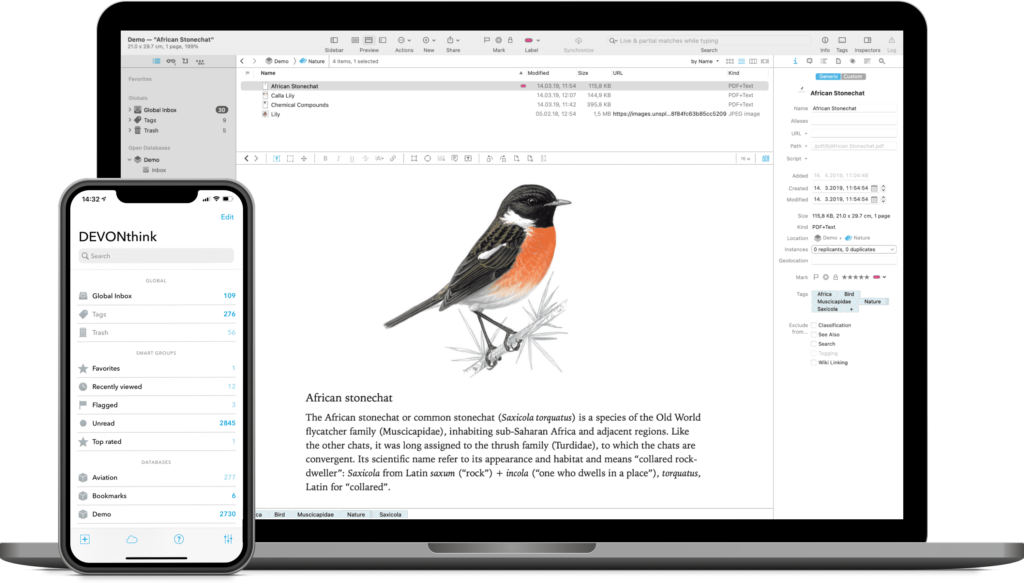
This week MacSparky is sponsored by DEVONthink. There are a lot of ways to manage a database on your Mac, but in my opinion, there is no better tool than DEVONthink. Just a few of the things I use DEVONthink for include:

  • A reliable repository of research documents. DEVONthink will hold as many documents as you can throw at it. In addition, it makes import (and export) easy, so you can have all that power without feeling trapped.
  • A research assistant. DEVONthink uses artificial intelligence to analyze and connect your documents in ways that may not otherwise occur to you. This isn’t that new-fangled-kinda-dumb AI. This is search AI that finds shockingly relevant documents. It’s spooky.
  • An OCR Tool. Everything you store in your DEVONthink Pro library gets OCR’d. It just happens.
  • An Automation Tool. DEVONthink lets you build powerful automation subroutines into your library to help tag, move, and organize documents.
  • DEVONthink supports multiple sync methods and lets you even use your own sync password, so everything is encrypted. If you’ve got an iPad or an iPhone, you can access your DEVONthink data there, too, with DEVONthink To Go.

It never ceases to amaze me how fast DEVONthink search is. Just recently I needed an obscure documents from several years ago sent to me buy a guy whose name I could not remember. DEVONthink found it in my first search as the #1 result. Boom.

It is this combination of power and security that makes DEVONthink the clear winner. You can think of DEVONthink as your paperless office. You can automate your workflow from capture to filing, editing to publishing. It stores all your documents, helps you keep them organized, and presents you with what you need to get the job done.

And of course the DEVONthink team never stops making improvements. The latest update (3.8.7) improves upon Wikilinks, the Concordance inspector, and more.

Interested? MacSparky readers can get a 20% discount on DEVONthink. Use the code MACSPARKY2023 at checkout.


Focused 191: Multi-Scale Planning

Mike and I unpack the concept of multi-scale planning on this episode of Focused, and we share how we are using it to live in alignment with our vision and values.

This episode of Focused is sponsored by:

  • Electric: Unbury yourself from IT tasks. Get a free pair of Beats Solo3 Wireless Headphones when you schedule a meeting.
  • Indeed: Join more than three million businesses worldwide using Indeed to hire great talent fast.
  • Factor: Healthy, fully-prepared food delivered to your door.
  • Whisper Memos: Record a voice memo, receive it as email. Try it now.

Mac Power Users 719: The 2023 MPU Gift Guide

It’s that time again on Mac Power Users!

This episode of Mac Power Users is sponsored by:

  • 1Password: Never forget a password again.
  • CleanMyMac X: Your Mac. As good as new. Get 5% off today.
  • Indeed: Join more than three million businesses worldwide using Indeed to hire great talent fast.
  • NetSuite: The leading integrated cloud business software suite. Download NetSuite’s popular KPI Checklist, designed to give you consistently excellent performance.

Upgrade Your Calendar with Fantastical (Sponsor)

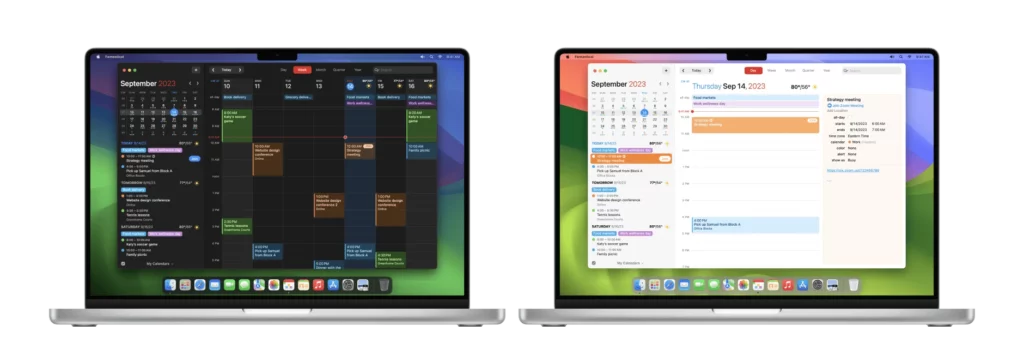
This image has an empty alt attribute; its file name is mac@2x-1024x349.webp

I am so pleased to welcome Fantastical as a new sponsor of the MacSparky blog. I’ve been using Fantastical since they first released their menu bar app and changed the calendaring world many years ago.

Over the years, it has evolved into a powerful calendaring system for me. Here are just a few of the ways that Fantastical’s unique features make my life easier:

  • I schedule nearly all of my appointments with the proposal feature. When I need to meet someone, I send them a proposal link, and they always pick one. I no longer play the email/scheduling shuffle game.
  • I aggressively use calendars and calendar sets so I can always see exactly what I need.
  • All of my Zoom meetings show up in my Fantastical events. I click the button and start the Zoom call. I haven’t started a Zoom meeting in any other way in the last two years.
  • Quarterly view. I love that view for future planning.
  • Fantastical widgets make the Apple Calendar widgets look so very sad.
  • Fantastical has excellent Shortcuts support, so I’ve fully automated the app.

There are so many reasons why I’m a Fantastical subscriber. If you’re looking for a calendar app that gets updated more than once a year and is made by complete calendar nerds, look no further.

Through the end of November, MacSparky readers will receive the biggest discount of the year and new users will save 50% by using this link – visit the Flexibits site to download the free trial.