It’s time for the latest Lab Report from MacSparky, covering this week’s Apple news and updates…
This is a post for MacSparky Labs Members only. Care to join? Or perhaps do you need to sign in?

It’s time for the latest Lab Report from MacSparky, covering this week’s Apple news and updates…
This is a post for MacSparky Labs Members only. Care to join? Or perhaps do you need to sign in?
Mark Gurman is reporting that we should expect to see iPadOS 16 get a delayed release until October. I’ve been using this beta (a lot) and it feels stable to me.
Regardless, never forget that Apple makes half of its revenue from iPhone sales, and if compromising (or delaying) ANY of its other products or services to make sure the iPhone gets a smooth launch every September is necessary, it will do so.
This month’s Friends of Dave interview is a special one. Sal Soghian (formerly with Apple, now working with the Omni Group) spent an hour with me doing a walk-through on how to set up and start using the new Javascript-based voice automation in OmniFocus. Sal has, in essence, created an entirely new user interface for OmniFocus, letting you fully control the app with your voice. Moreover, you can add your own custom commands. In this video, I share my screen and Sal walks me through the entire setup process. Watch this video with the current version of OmniFocus installed on your Mac and you’ll be voice-controlling within the hour…
This is a post for MacSparky Labs Tier 2 (Backstage) and Tier 3 (Early Access) Members only. Care to join? Or perhaps do you need to sign in?
This week MacSparky is sponsored by DEVONthink, the app that organizes and tracks your data for you. I use DEVONthink for all of my research and record-keeping workflows. DEVONthink has all the tools: auto-sort, artificial intelligence-based search, automatic OCR, the works.
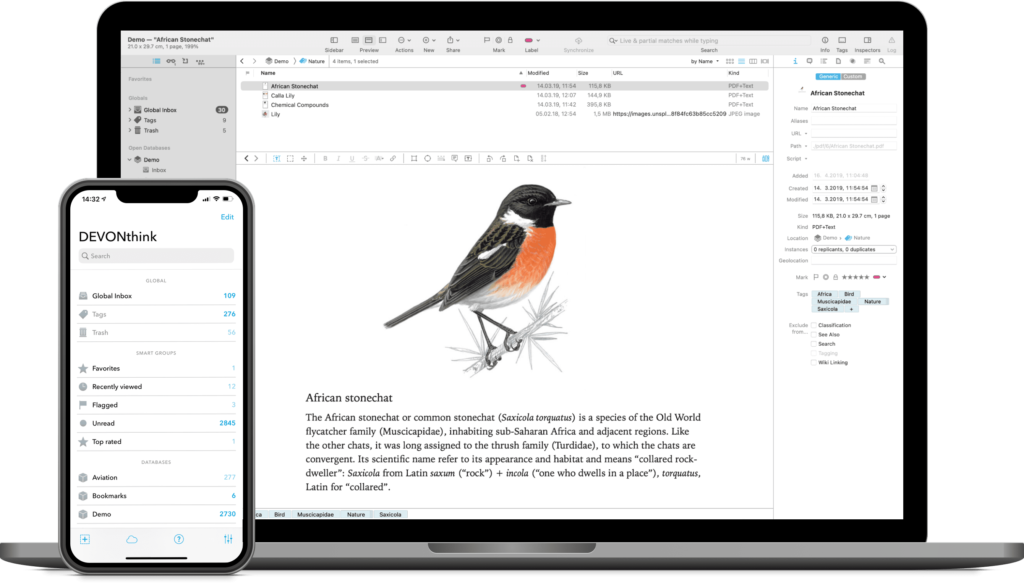
Since releasing the DEVONthink Field Guide I’ve heard from so many people that rely on DEVONthink. To name a few:
These are just a few. If you have need of tracking, sorting, organizing, or searching data, DEVONthink that do that job better for you than anything else. Check it out today.
Mike Vardy is back on this episode of Focused to talk about the rhythm of work and why some people feel “productivity” is becoming a dirty word.
This episode of Focused is sponsored by:
We lost Vin Scully tonight. At 94 years old, he had a good run. But we sure will miss him.
Growing up in the greater Los Angeles area in the 70s and 80s, there was one constant in our lives, Vin Scully. His soothing, educational storytelling (there were a lot of stories) was our soundtrack. As Dodgers fans, the only thing we hated more than Billie Martin and the Yankees was network announcers calling Dodgers games. We kept a radio in the room with our television, largely so we could turn down the television volume on Dodgers games and listen to Vinnie call it on the radio.
As I got older, I paid less attention to baseball but any time I could hear Vin Scully call a game, I would. It brought me right back. Listening to Vin Scully was like wrapping yourself in a warm blanket. There will never be another sports announcer like Vin.
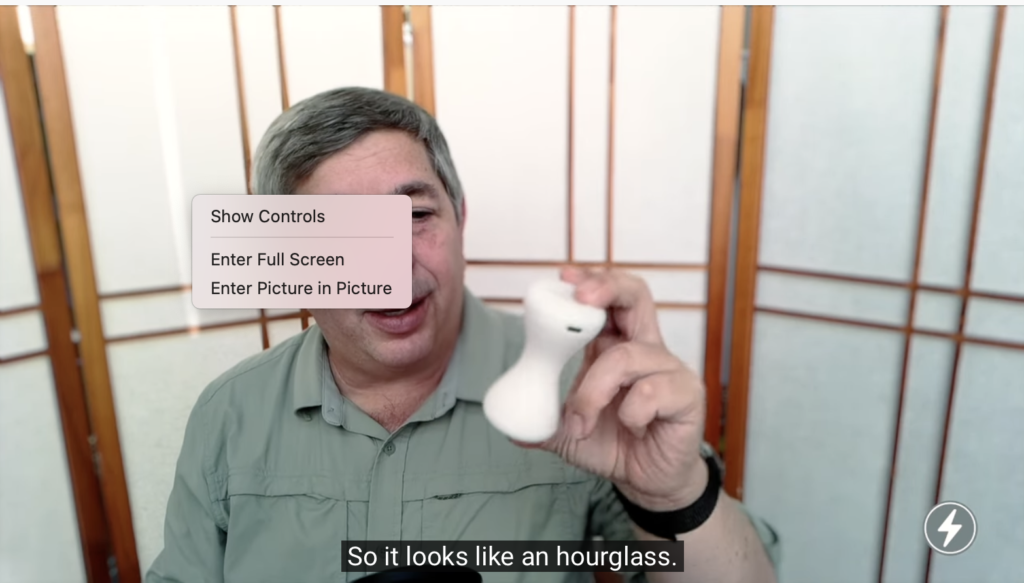
Chance Miller shared this trick at 9to5 Mac today to get picture-in-picture with YouTube on your Mac. We’ve mentioned this before on the Mac Power Users, and I use it all the time, but I don’t think many people know about it. The trick is to right-click on a video and then right-click a second time away from the first right-click box.
It feels like a mistake that it even exists, but I’ve been doing YouTube picture-in-picture this way for years.
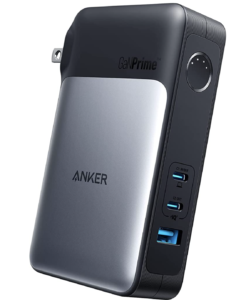
I am so in the bag for Anker. I’ve been buying their stuff for years, and they’ve always been reliable. In the MacSparky Labs meetup last week, I was asked a question about portable batteries for the new M2 MacBook Air. It got me thinking. Years ago, I had a portable laptop battery that was roughly the size and weight of a paving stone. What’s available now?
So I ordered the newly released Anker 733 65W Charger/Battery. It arrived just in time as I was leaving town, and I’m really digging it. This is a hybrid charger, meaning you can plug it into the wall and use it to charge your devices, but also unplug it and use it as a battery. It delivers 65W, which is plenty for a MacBook Air, and it gives me both a way to charge with power and from a battery in one package.
The battery is 10,000 mAh, which is sizeable, but certainly not the largest battery on the market. It’s already been used to charge my MacBook Air, my iPhone, and my power-hungry beta-software-running Apple Watch. It has two USB-C ports and one USB-A port. On this trip, it’s all I need to keep the MacBook, iPad, and Apple Watch charged. (I keep the iPhone next to the bed.)
At $100, it’s not the least expensive option but certainly feels like one of the most flexible options. I’ll be using this as my primary bag charger/battery for years. If you’re looking for a flexible charging solution, this is the one.
The Omni Group has written its own flavor of JavaScript to automate its apps. These new automations will work on Mac, iPad, and iPhone. In this video, I take one of the Omni Group’s new JavaScript automations that can assign and adjust defer and due dates in OmniFocus. I then use a Keyboard Maestro trick to combine and simplify the various keyboard shortcuts for each action. If you use OmniFocus, you’ll find this useful. And even if you don’t use the app, the Conflict Palette technique shown here can help you out …
This is a post for MacSparky Labs Members only. Care to join? Or perhaps do you need to sign in?
In this Mac Power Users feedback episode, Stephen talks me through his workflows of the Apple History Calendar, and then we talk about the current state of Apple’s beta software. We also tackle some listener feedback and check in on the new version of Alfred.
This episode of Mac Power Users is sponsored by: