
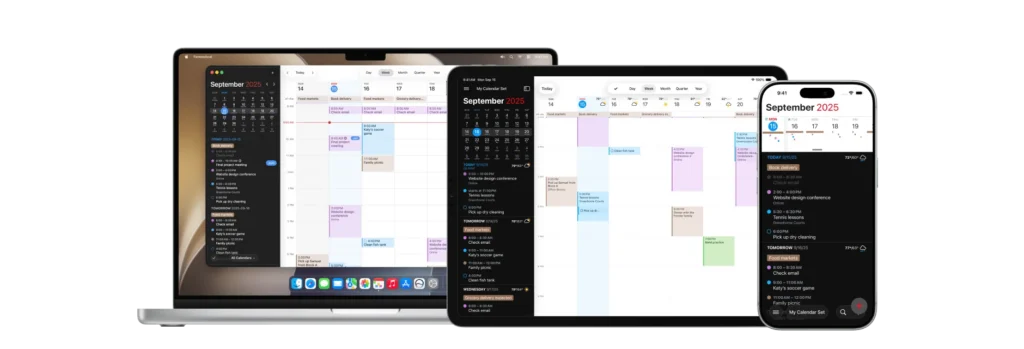
This post is sponsored by Fantastical.
Most calendar problems start when you have more than one calendar. Your work account knows about the client call, but your personal calendar thinks the hour is free. That is how you agree to lunch while you are supposed to be on Zoom.
Fantastical’s calendar mirroring fixes this by copying the busy time from one calendar to another. You set the rules, decide which calendars should talk to each other, and choose how much detail gets carried over. Your work calendar can know that you are unavailable without learning that the mysterious appointment is with your dentist. I made a video showing how it works, and it is one of those features that makes immediate sense once you see it.
Fantastical is also one of the calendar apps taking AI integration seriously. Its MCP server lets an assistant work with the schedule you already keep in Fantastical. It can read your calendar, check availability, and create events through Fantastical’s natural language engine. You can also set different permissions for reading and writing, so looking at your calendar can happen automatically while adding or changing an event still requires your approval.
That combination matters. Calendar mirroring keeps the calendars honest with each other. MCP lets your robot assistant understand the same schedule and help you act on it.
Fantastical 4.2 shipped on September 14, the same day iOS 27 and macOS 27 Golden Gate arrived, and it teaches the new Siri to work with your Fantastical calendars. Ask what your Thursday afternoon looks like, add an event, or move the one that just got bumped, and Siri is working against the calendars you already keep in Fantastical rather than some separate copy of them.
The same release brings a refreshed Liquid Glass look to the Mac app, with the familiar sidebar back where it belongs. Event List widgets can go extra tall on the iPhone and the Mac now. Mirrored events also stopped showing up twice in MCP results, which is a small fix that tells you the two features are being built with each other in mind. I have had about a week with the new Siri and I am still making up my mind about it in general. When it reaches for my calendar, though, it reaches for the right one.
Fantastical still has all the reasons I have used it for years: excellent natural language input, Calendar Sets, scheduling links, weather, conference-call integration, and apps across the Mac, iPhone, iPad, Apple Watch, and Windows. The new features build on that foundation instead of getting in the way of it.
If your schedule is spread across multiple accounts, or you want your AI assistant to work with your calendar instead of merely talking about it, take a look at Fantastical.
I write about getting more from your Apple gear. If this was useful, go deeper in the Labs or grab the weekly newsletter.