
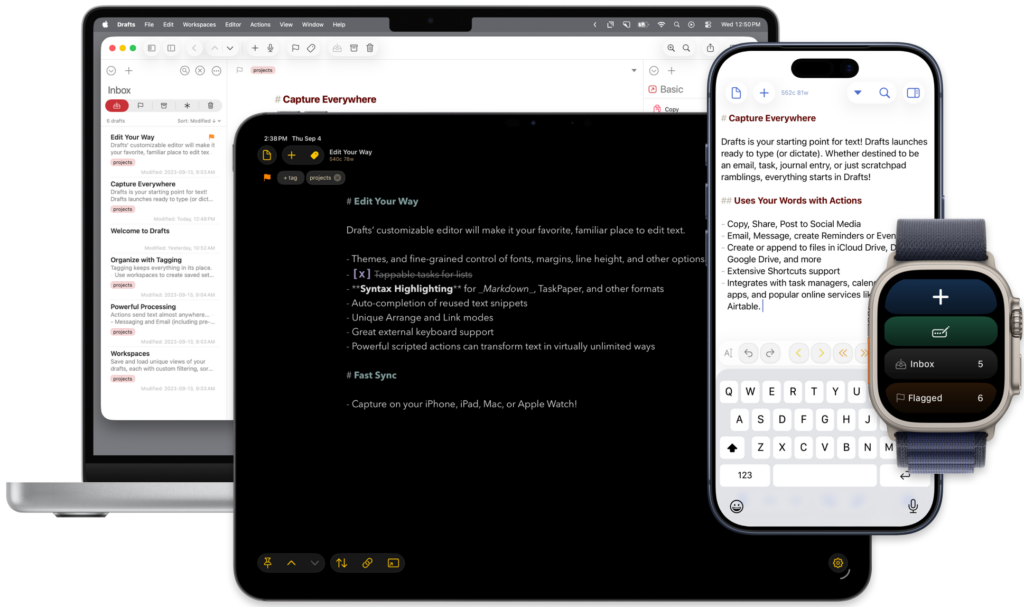
This post is sponsored by Drafts for iPhone and iPad.
Drafts is where text starts for me, and has been for years. Any time I have a thought, a task, a phone number, or the first messy paragraph of a blog post, it lands in Drafts first and gets sorted later. The app opens to a blinking cursor and gets out of my way. That’s the whole pitch, and it still holds up.
Most MacSparky readers already know Drafts, so instead of the full tour, let me point at two things Greg Pierce shipped recently that are worth your attention.
Advanced Data Protection
Your quick-capture app ends up holding some of your most sensitive text. Half-written emails, an account number you meant to delete, the private stuff you jotted before you thought better of it. Drafts now works with Apple’s Advanced Data Protection, so if you have ADP turned on for your Apple Account, your synced drafts can be covered by end-to-end encryption. For a place where so much raw thinking lands, that’s real peace of mind. Setup details are in the Drafts docs.
A Command Line and an MCP Server
Drafts now has a command-line interface, so you can reach your library straight from the terminal and wire it into your own scripts. There’s also an MCP server that connects Drafts to Claude, which lets you ask an AI assistant to search, create, and work through your drafts in plain language. It runs locally on your Mac, so your text stays on your machine. I set the Claude connection up a while back and still reach for it when I want to pull the good threads out of a week of captured notes.
What keeps me in Drafts is the idea underneath it. Get the words down now. Decide where they go later. The capture is instant, and the automation runs as deep as you care to take it. Encryption and a command line just give that idea more room to work.
If you’ve not tried Drafts lately, take a look. Drafts is a free download on the Mac, and it might just become the first place your text goes too.
I write about getting more from your Apple gear. If this was useful, go deeper in the Labs or grab the weekly newsletter.