
In this week’s episode of The Lab Report: New Macs, new iPads, and a new album from one of Sparky’s favorite bands! (And a Labs video recommendation, of course.)
… This is a post for MacSparky Labs members only. Care to join? If you’re already a member, you can log in here.
Apple Mail’s New Sorting Features
Apple’s latest operating system betas have finally brought the new Mail sorting and redesign features to iPad and Mac. While we’ve had time to experience these features on iPhone, their arrival on all platforms gives us a complete picture of Apple’s vision for email management.
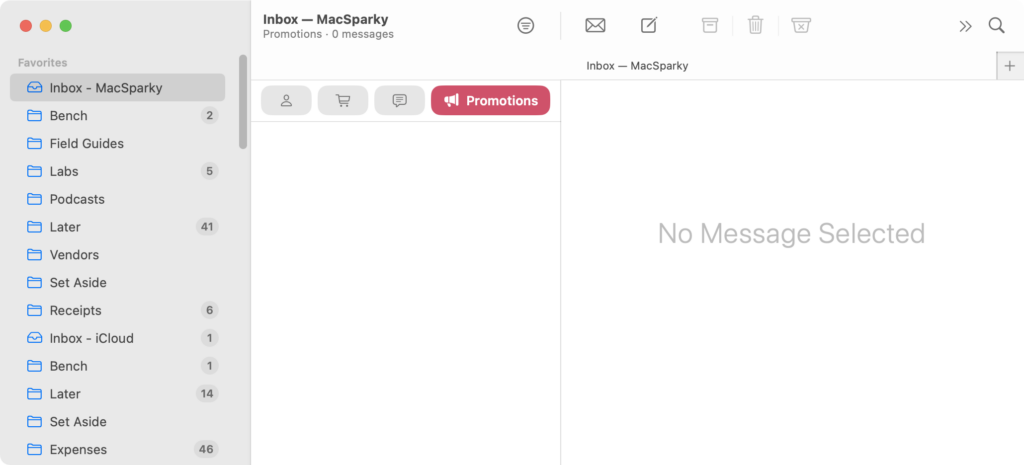
The response has been interesting. Power users generally aren’t impressed, arguing that web-based mail sorting tools and services like SaneBox offer far more sophisticated features. They’re right. However, I’ve noticed something different among casual users who have never experienced mail sorting before: they like Apple’s new email sorting.
I decided to experiment with this myself. I turned off all my fancy email sorting rules for my personal account and switched to Apple Mail’s new system. After some initial training, I’ve found it works surprisingly well. Sure, my MacSparky email still requires more advanced sorting that’s beyond what Apple offers, but for personal correspondence, this new system hits a sweet spot. Plus, there’s the added benefit of privacy.
This update represents a shift in Apple’s Mail development strategy. For years, they focused primarily on infrastructure improvements, making the app more stable and secure. It’s refreshing to see them adding new features again, even if they aren’t targeting power users. Not every feature needs to cater to the most demanding users, and sometimes simplicity, combined with privacy, is probably where Apple should be aiming.
Sparky’s Tech Travel Gear 2025
Here’s a list of the tech gear I take when traveling these days and my explanation on why each item makes the cut.
… This is a post for MacSparky Labs members only. Care to join? If you’re already a member, you can log in here.
Unite 6: Web Apps Done Right
Unite has been, in my opinion, the stand-out app for transforming websites into native-feeling desktop applications on the Mac. While Apple attempted to offer similar functionality with their own solution, Unite has consistently stayed ahead of the curve, offering deeper integration and more powerful features.

Well, there’s now a new version: Unite 6 is here with a flock of new features.
Redesigned Creation Experience
The app creation process has been completely revamped with enhanced accessibility and a more intuitive interface. This makes it faster and easier to convert web services into Mac apps.
App Sharing
One of my favorite new features is the ability to share Unite apps across machines or with team members. Simply export your configured app and share the file. Recipients can start using it immediately.
Supercharged Sidebar Mode
The new Sidebar mode is a game-changer. You can now pin, rename, and customize tabs to create the perfect workspace for your needs.
Tab Management for Power Users
Unite 6 also introduces robust tab management features including pinning, locking, renaming, and duplicate detection. This is especially useful for those of us juggling multiple instances of the same service.
Command Center
The new Command Center brings powerful keyboard control to Unite apps. You can rebind shortcuts, quickly restore closed tabs, and navigate between them with ease – perfect for keyboard warriors.
Often, when Apple allegedly “Sherlocks” an app category, the exact opposite happens. Third-party developers show up to run circles around the basic feature set offered by Apple. Unite 6 demonstrates that once again.
February 2025 Deep Dive – iPad + Mac (Video)
We got together las February 12 to discuss using iPad as desk utility alongside the Mac. I showed up how I’ve been using it and a few of you shared your use cases.… This is a post for the MacSparky Labs Early Access members. Care to join? If you’re already a member, you can log in here.
Mac Power Users 786: Catching up with John Soliman

John Soliman returns to Mac Power Users to detail his journey with Apple silicon, share his work on Pixar’s Win or Lose, and discuss video transcoding.
This episode of Mac Power Users is sponsored by:
- Squarespace: Save 10% off your first purchase of a website or domain using code MPU.
- Google Gemini: Supercharge your creativity and productivity.
- Indeed: Join more than 3.5 million businesses worldwide using Indeed to hire great talent fast.
- Incogni: Take your personal data back with Incogni! Use code MACPOWERUSERS with this link and get 60% off an annual plan.
Testing Cotypist
Daniel Gräfe, the developer of Timing, has his own take on artificial intelligence with Cotypist, a unique approach to text completion on your Mac. In this video, I share the results of my time using the app and explain how to best take advantage of it.… This is a post for the MacSparky Labs Early Access and Backstage Access members. Care to join? If you’re already a member, you can log in here.
Cotypist: AI Autocompletion Everywhere on Your Mac
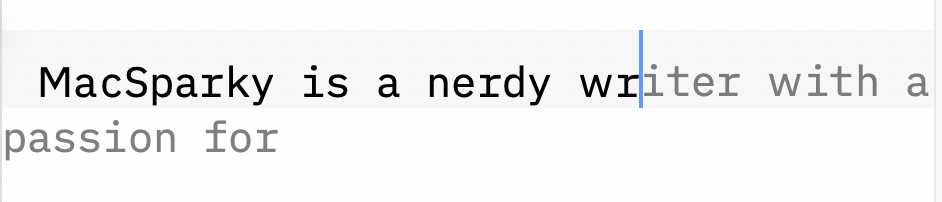
There are a lot of angles to AI and productivity emerging right now. One I’ve come to appreciate is AI-based smarter autocomplete. My tool of choice for this is Cotypist. It’s made by a trusted Mac developer, it’s fast, and it takes privacy seriously.
Unlike many AI writing tools that require you to work within their specific interface, Cotypist works in virtually any text field across your Mac. Whether you’re drafting an email, writing in your favorite text editor, or filling out a form, Cotypist is there to help speed up your writing.
The app’s latest version (0.7.2) brings notable improvements to both performance and completion quality. It even respects your Mac’s Smart Quotes preferences – a small but meaningful touch that shows attention to detail.
With Cotypist turned on, it offers inline completions that appear in real time. Then you’ve got a few options:
- You could just ignore the suggestion and keep typing like you’ve always done.
- If you want to accept the full multi-word suggestion, you press a user-defined key. (I use the backtick – just above the Tab key on a US keyboard.)
- If you just want to accept the next suggest word, you hit another user-defined key (I use Tab)
- If you want to dismiss the suggestion entirely, press escape. (This is handy when doing online forms, for instance.)
At first, the constant suggestions may feel distracting, but once I adapted to it, I can’t imagine going back.
Cotypist generates all completions locally on your Mac. No cloud services, no data sharing – just your Mac’s processing power working to speed up your writing.
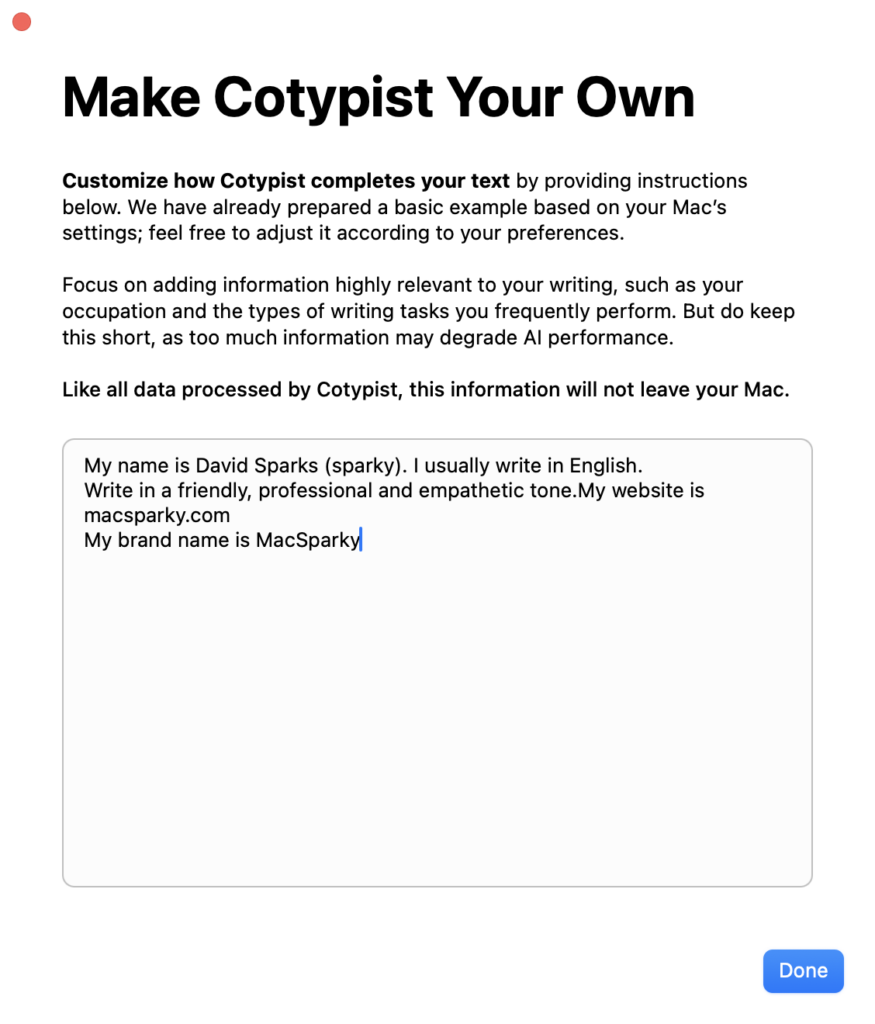

Like I said, Cotypist represents an interesting take on AI and is worth checking out.
The Gen3 AI Revolution
I’ve been spending a lot of time with Claude 3.7 Sonnet lately, and I wanted to share some thoughts on the new “Gen3” AI models. Claude 3.7 is trained with a massive leap in computing power compared to its predecessors.
What’s Different About These New Models?
These new AI models aren’t just incrementally better; they represent a significant jump in capabilities.
There are two reasons for this:
- Training Scale: These models use 10x more computing power in training than GPT-4 did.
- Reasoning Capabilities: These models can spend more time “thinking” through complex problems, similar to giving a smart person extra time to solve a puzzle.
My Experience with Claude 3.7 Sonnet
I’ve been using Claude 3.7 regularly. Most folks use programming tests to baseline the AI models. I don’t. Instead, I’ve found it to be an exceptional thought partner. One of my favorite workflows is to give Claude something I’ve written and ask it to pose thoughtful questions about the content. Those questions often spark new ideas or help me identify gaps in my thinking.
For those of you who work alone without colleagues to bounce ideas off of, these more capable AI models can provide surprisingly useful feedback. It’s like having a smart colleague who’s always available to help you think through problems. As AI becomes capable of higher-order thinking tasks, there is a lot of room for us to be creative in how we put them to work.
The Human in the Room
You still need to be the human in the room. As smart as these models are getting, you’re making a mistake if you believe they’re actually thinking. They remain tools — increasingly powerful tools — but tools nonetheless. Your judgment, creativity, and ethical sensibilities remain irreplaceable. The most powerful approach is using these AI partners to amplify your thinking, not replace it.
If you’re curious about these Gen3 models, my recommendation is simple: experiment. Ask Claude to help you brainstorm solutions to a problem you’re facing. Have it review something you’ve written and suggest improvements. Use it as a sounding board when you’re trying to think through a complex issue.
You might be surprised at how helpful these conversations can be, even if you’re not using the flashy coding capabilities that get most of the attention.
I’m cautiously optimistic about where this is heading. These tools are becoming genuine intellectual partners that can help us think better, create more, and solve harder problems. Used wisely, they have the potential to dramatically enhance what we can accomplish.
The Lab Report for February 28, 2025
In this week’s episode of The Lab Report: A new app by John Siracusa, the M4 MacBook Air might be here very soon, and is Gemini coming to Apple Intelligence?
… This is a post for MacSparky Labs Members. Care to join? Or perhaps you need to sign in?