The 2026 Focused Calendar

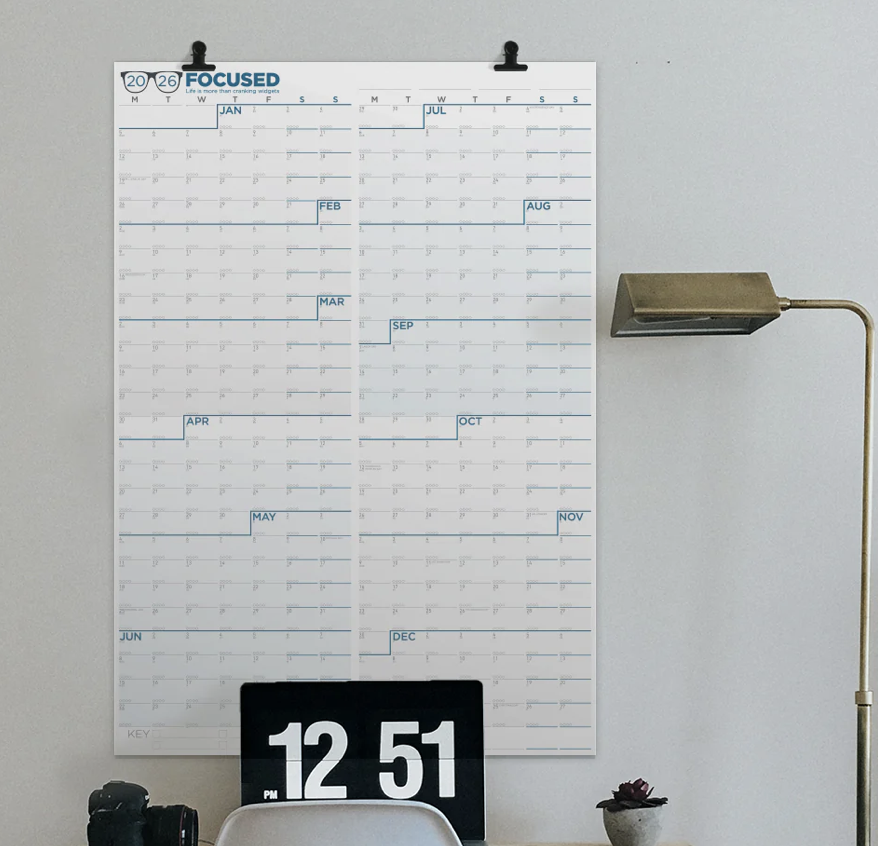
I’m pleased to announce that the Focused Wall Calendar for 2026 is now on sale. Mike and I have been collaborating with the NeuYear folks for years, and this is, in my opinion, the best wall calendar on the market.

We’ve spent a lot of time tweaking this calendar over the years to get it just right. Here are some of the features I love:

  • It starts on Monday, as a proper calendar should.
  • It’s big at 25 inches by 36 inches. This isn’t one of those calendars you have to squint at.
  • The year-at-a-glance view is invaluable. Over the years, this calendar on my wall has gotten me out of a lot of pickles as I look at the calendar to see just how busy I am before I say yes to another commitment. There’s something about seeing three weeks of wall-to-wall appointments that makes saying no much easier.
  • It’s designed with no gaps between the months. The philosophy is simple: we think in weeks, not months. This calendar presents 52 weeks as a continuous flow, which makes it easy to see the distance between any two dates and plan across months without artificial boundaries.
  • You can write on it with dry-erase or wet-erase markers. I’ve tried both, and they both work great. The dry-erase is better if you’re constantly adjusting things, while wet-erase stays put better for long-term commitments.
  • It’s two calendars in one. Flip it over and you get a different orientation. One side is portrait, the other landscape. I keep mine in landscape above my desk, but you can hang it vertically on a door if that works better for your space.
  • The quarterly shading is genius. The calendar breaks the year into four quarters with background shading, making it easy to set quarterly goals and see reset points throughout the year. Buffer weeks are built in so you can review what worked, celebrate wins, and adjust course if needed.
  • The habit tracking system at the bottom lets you create your own color-coded system. Each day has space to track up to four habits, and it shows you how many days are left in the quarter to keep you honest.

It’s beautiful. This matters more than you might think. When your productivity tool looks good, you actually want to use it. Attraction breeds commitment.

You can buy it now. Mine is already on order.

The 2026 Focused Calendar

I’m pleased to announce that the Focused Wall Calendar for 2026 is now on sale. Mike and I have been collaborating with the NeuYear folks for years, and this is, in my opinion, the best wall calendar on the market.

We’ve spent a lot of time tweaking this calendar over the years to get it just right. Here are some of the features I love:

  • It starts on Monday, as a proper calendar should.
  • It’s big at 25 inches by 36 inches. This isn’t one of those calendars you have to squint at.
  • The year-at-a-glance view is invaluable. Over the years, this calendar on my wall has gotten me out of a lot of pickles as I look at the calendar to see just how busy I am before I say yes to another commitment. There’s something about seeing three weeks of wall-to-wall appointments that makes saying no much easier.
  • It’s designed with no gaps between the months. The philosophy is simple: we think in weeks, not months. This calendar presents 52 weeks as a continuous flow, which makes it easy to see the distance between any two dates and plan across months without artificial boundaries.
  • You can write on it with dry-erase or wet-erase markers. I’ve tried both, and they both work great. The dry-erase is better if you’re constantly adjusting things, while wet-erase stays put better for long-term commitments.
  • It’s two calendars in one. Flip it over and you get a different orientation. One side is portrait, the other landscape. I keep mine in landscape above my desk, but you can hang it vertically on a door if that works better for your space.
  • The quarterly shading is genius. The calendar breaks the year into four quarters with background shading, making it easy to set quarterly goals and see reset points throughout the year. Buffer weeks are built in so you can review what worked, celebrate wins, and adjust course if needed.
  • The habit tracking system at the bottom lets you create your own color-coded system. Each day has space to track up to four habits, and it shows you how many days are left in the quarter to keep you honest.

It’s beautiful. This matters more than you might think. When your productivity tool looks good, you actually want to use it. Attraction breeds commitment.

You can buy it now. Mine is already on order.

A Gentle Approach to Block Scheduling

In a few weeks, I’ll release the new 2025 edition of the Productivity Field Guide, where I blend ancient wisdom for life’s big questions with modern techniques for tactical execution. One key topic we explore is block scheduling, and something important I’ve learned from my students is that traditional block scheduling isn’t for everyone.

That’s perfectly fine. What I’ve discovered is that there’s a gentler approach that can work for almost anyone. Instead of overhauling your entire calendar, start with just one nagging task. You know, the substantial one that keeps slipping off your to-do list.

The approach is simple: Open your calendar app of choice and find a significant block of free time, perhaps next Tuesday afternoon. Make an appointment with yourself – not a quick 30-minute slot, but a substantial three or four hours where you can dive deep and make real progress. Label it clearly, and if you share calendars, mark yourself as unavailable. This time is sacred.

This simple practice works magic in two ways. First, you’ve transformed that vague, anxiety-inducing task into a concrete commitment with a specific time and date. You can release it from your mental burden until then. Second, you’ve carved out and protected that time; it’s now as important as any client meeting or medical appointment.

The key is showing up for yourself. When that scheduled time arrives, honor it as you would any other commitment. If something truly urgent arises, don’t just let the appointment vanish, reschedule it. The work either gets done in its allocated time or finds a new home on your calendar, but it never simply disappears.

I’ve shared this gentle approach with many people who were initially resistant to full-on block scheduling, and they’ve found it remarkably helpful. It works especially well for those daunting tasks that feel overwhelming. Something about placing them on the calendar diminishes their power. You’re no longer avoiding them; you’ve created a concrete plan to tackle them.

Remember, this isn’t about becoming a productivity machine. It’s about creating space for what truly matters. Sometimes, this minimal approach to scheduling is all you need to move forward.

As for the upcoming Productivity Field Guide, I’m excited to offer two versions: one including the videos, book, and course materials, and another that adds a 12-week webinar series. I’ll have a lot more news on this soon. I can’t wait to share these resources with you and hear your thoughts.

NotePlan Auto-Templates

Recently, NotePlan released version 3.14, which includes the ability to auto-generate templates based on the calendar item. I note this because I requested this specific feature when we discussed NotePlan recently on the Mac Power Users. NotePlan continues to impress me.

Since we aired that episode, I’ve heard from many listeners who have adopted the app and are enjoying it. Here are just a few things I like about NotePlan:

  • The data format is plain text using Markdown syntax saved to your local drive, just like Obsidian.
  • A one-man developer team actively develops it. Over the years, he’s proven his dedication to the app and willingness to tackle significant feature additions.
  • It’s a native app on all the Apple platforms.

To me, NotePlan lies somewhere between Obsidian and Apple Notes. It’s closer to Obsidian in implementation but has fewer customization options.

When I set up my 2025 technology stack, I’m going to be looking very closely at this application.

The 2025 Focused Calendar

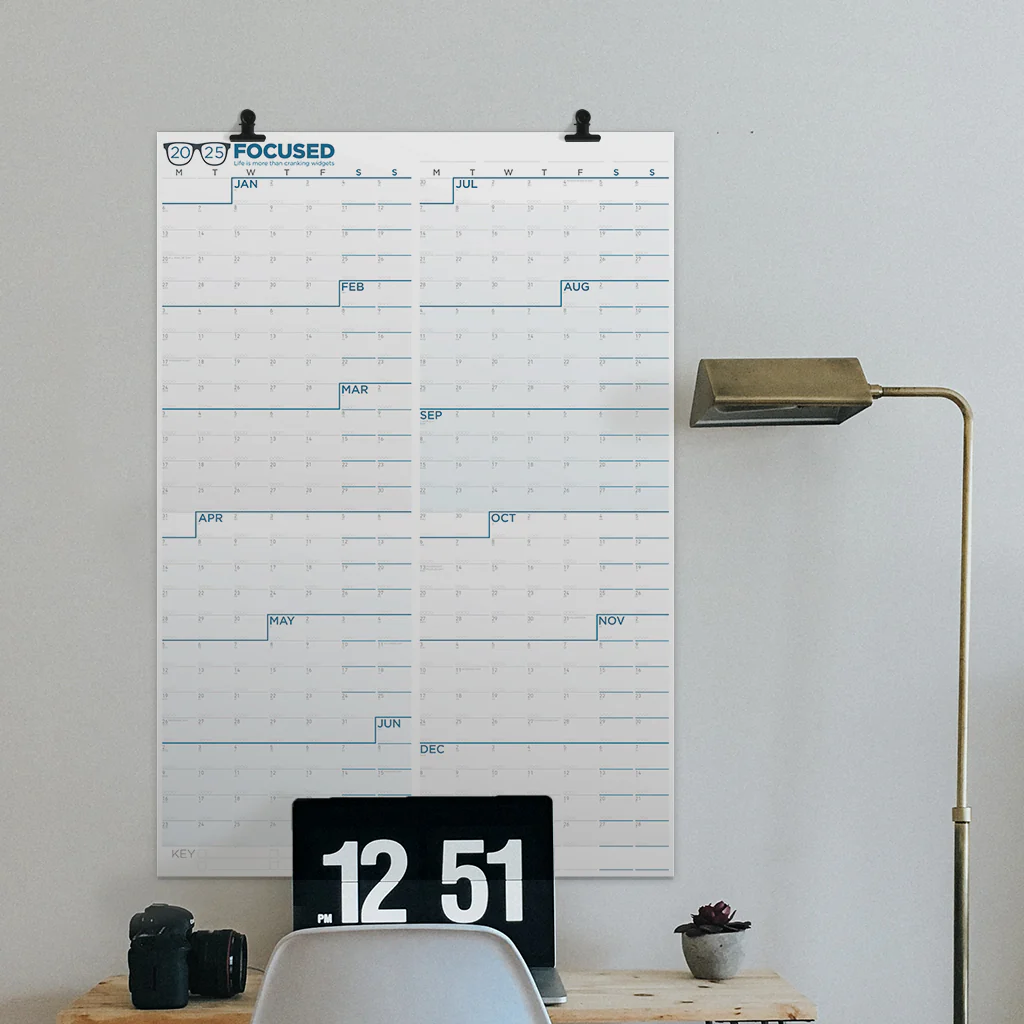
I’m pleased to announce that the Focused Wall Calendar for 2025 is now on sale. We’ve been collaborating for years with the NeuYear calendar people, and it is, in my opinion, the best wall calendar on the market.

Mike and I spent a lot of time adjusting it over the years to get it just right. A couple of the features that I love:

  • It starts on Monday as a proper calendar should.
  • It’s big at 25 inches by 36 inches.
  • It gives you an overview of the entire year. Over the years, this calendar on my wall has gotten me out of a lot of pickles as I look at the calendar to see just how busy I am before I say yes to another commitment.
  • It’s designed with no gaps between the months, so everything flows together.
  • You can write on it with dry-erase or wet-erase markers.
  • It’s beautiful.

You can buy it now. (whispering) Mine is already on order.

Fantastical RSVP Feature

app icon for Fantastical, the calendar app for macOS, iOS, and iPadOS.

Fantastical recently released a new feature called RSVP that lets you set a meeting and send out a link where people can RSVP their attendance. As the meeting organizer, this gives you a list of attendees and an easy way to contact them. I feel partially responsible for this new addition to my favorite calendar app because I’ve been needling Team Fantastical about adding something like this since I opened the MacSparky Labs, where Zoom events take place on a regular basis.

Here’s a video showing the RSVP feature.

Whither Apple Calendar?

I have noted that Apple continues to make progress on its productivity application suite. Apple Notes is no longer a joke; it is a powerful tool that many people are using effectively. Reminders is also on an upswing. While certainly not a tier-one task manager, it has most of the features that people are looking for and continues to make yearly improvements.

Apple’s Calendar app is the exception, however. There’s been a lot of evolution in how we manage calendars, and Calendar has yet to keep up with any of it. While the application is acceptable for keeping track of dental and other appointments, even its touted Reminders integration (introduced in macOS Sequoia) is half-baked. A powerful calendar app can make a huge difference in our productivity if harnessed correctly. The problem with Calendar is that it doesn’t have any of the tools necessary to do so. Moreover, from the outside, it looks like Apple has no intention of ever adding those features.

Fantastical: The Superhero of Calendar Apps (Sponsor)

I’m thrilled to once again have Flexibits and their fantastic calendar app as a MacSparky sponsor. I use Fantastical every day at MacSparky HQ, and I’m constantly blown away by how much it can do for me.

Some of my favorite features are the meeting setting and Zoom integration. Openings and Proposals links got a lot better and I can now add contact details in the URL link. Some more great Fantastical features:

  • Live Activities — for those of us with a Dynamic Island-equipped iPhone, seeing your upcoming Fantastical event in this prime spot is so handy, and you can get right to it with a tap.
  • The Quarter view was added to the Mini Window on Mac. This is my favorite view in Fantastical and one that I’m convinced they added just for me.

With iOS 17 came interactive widgets, including SmartStack and StandBy on iPhone. Fantastical was ready, and took advantage of these new features in September. I use widgets all the time. They also made the Apple Watch app so much nicer and easier to use.

I could go on and on…but I think you’re getting it: Fantastical has never been better, and if you’re wondering whether it’s right for you, head over there now and give it a spin! Managing your events, tasks, and meetings has never felt as good.