Make an Impression with Hoban Cards (Sponsor)

Looking your best isn’t just about what you see in the mirror. When you hand someone your business card, you also want to look your best. Thoughtful. Classy. Refined. Memorable. Is that you? 

That’s also Hoban Cards. Hoban Cards is a tiny letterpress printing shop that specializes in minimal printing for creative individuals and small businesses. They not only print business cards but also calling cards, stationery, thank yous, invites, wedding invites and RSVPs, dinner menus, wine lists, coasters, and clothing tags. Watch their letterpress in action craft tiny pieces of personalized art.  

You could pay less for something that will come off a laser printer. Or you can take it to the next level with a Hoban Card. There are beautiful templates and typography to choose from. The crisp letterpress impression will make a splendid notable impression when you hand them out. Use “MacSparky” to get $10 off any order. Get yours today.


SaneBox (Sponsor)

New year, new you going as planned? If you resolved to declutter and clean up your inbox for the new year, consider giving SaneBox a try. You can test it out for yourself with their 14-day free trial.

There’s nothing to download, and SaneBox works with any webmail/email client. So, why SaneBox? SaneBox will learn from you how to manage your inbox.

They have powerful A.I. that analyzes your email history and learns what is important to you. Not every email needs to be read immediately. There are some that you can read and respond to later, and SaneBox will automatically move those to your SaneLater folder after some training. That leaves only the important messages in your inbox so distractions are kept to a minimum.

Then, SaneBox will send you a daily digest, which summarizes the new email in your SaneLater folder, and here you can check if there any mistakes or emails you need to move or re-train. Not all email is created equally.

Give SaneBox a whirl for free for 14 days and get the robots to help manage distracting unimportant email. 

Use TextSniper for Easy OCR on Your Mac (Sponsor)

My thanks to TextSniper for sponsoring MacSparky.com this week. I’m a fan of this app.

TextSniper is a Mac OCR app that can extract text anywhere on your Mac’s screen and automatically save it to your clipboard so that you can paste it anywhere you need it. It can even read the text to you. The whole thing works a lot like the built-in screen capture on the Mac, just way more powerful.

Also, TextSniper doesn’t collect your data. The text recognition is processed on your Mac and does not require an internet connection. 

With TextSniper, you can:

  • Quickly get a text from PDFs, Zoom calls, Presentations, and Videos. 
  • Copy text from anywhere, even images and websites that don’t let you select text.
  • Quickly grab data like email addresses, phone numbers, and links.
  • Read QR codes and barcodes.
  • Get text out of just about any image format, including JPG, PNG, GIF, TIFF, and BMP.

I find myself using TextSniper constantly in my daily work. As an example, my wife sent me a picture of a letter she received. I needed to grab some data from the letter (account number, etc…) TextSniper came to the rescue.

TextSniper works with macOS Catalina and later and also works with Parallels Desktop

Get TextSniper now and enjoy the fastest way to copy uncopyable text, wherever it may be. Use promo code TS2022 to get an additional 25% off. 

Track Your Time with Timing (Sponsor)

This week MacSparky is sponsored by Timing. Timing is a time tracking app that records your time automatically and then reviews it for you later.

It’s a new year and time to get rolling with some new habits. The problem is that your perception of how you are spending your time is a lot different from reality. How can you make changes without good data? It’s hard to track your time if you’re doing a bunch of different things at once or don’t have the right tools.

That’s where Timing comes to the rescue. With Timing, you instantly see how you are spending your time so you can work more productively and make smarter decisions about how to spend your time.

The Timing app makes recording and reviewing your time easy with automatic tracking and a simple interface for adding details about what you did each day so you can see how much time was focused on each task. In addition, you can use Timing to share projects and times across your team while preserving each team member’s privacy.

I even made some screencasts on how I use Timing. I run Timing on my Mac every day, and you should too. Download the free 14-day trial today and get 10% off for the first year!

Time is Nearly Up for WinterFest 2021 Software Discounts (Sponsor)

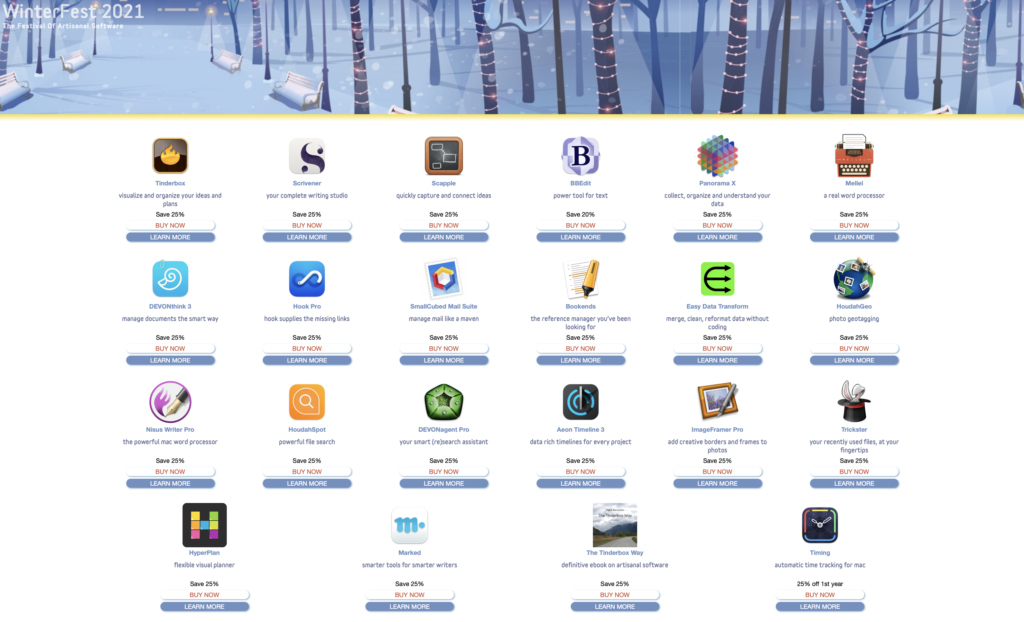
The New Year is here, and my favorite software sale is nearly over. WinterFest is the annual sale from a collection of the best indie-Mac software developers. Everything is 25% off and there are some remarkable apps you can get, but not for much longer.

Just some of the software on sale at WinterFest that I dig:

Scrivener – The killer novel-writing tool.

Tinderbox – The idea organizer and planner.

BBEdit – THE power tool for text.

Hook Pro – The link-everything tool I use for contextual computing.

Marked – Brett Terpstra’s Markdown (and more) toolset.

Nisus Writer Pro – The word processor made exclusively for the Mac.

DEVONthink – Do you really need me to explain DEVONthink?

Scapple – An idea capture and process tool from the maker of Scrivener.

There are a bunch more. Just go to the WinterFest website and see what tickles your fancy.

This year, I bought HyperPlan from WinterFest. It’s an interesting visual planning tool that lets me use a graphic model to connect ideas. This is just the kind of thing I can get excited about.

All of the software in WinterFest comes from long-time, respected Mac software developers that are all about making great software. Even though everything is discounted you’ll get full versions with complete support and upgrade privileges. Go check it out before the sale ends.

Get a Jump on 2022 with WinterFest (Sponsor)

I want to thank WinterFest for sponsoring MacSparky this week. WinterFest is a collection of some of the best Mac software for people that like to make things, all at a significant discount.

This year’s list is stellar:

Tinderbox ◆ Scrivener ◆ DEVONthink ◆ BBEdit ◆ Panorama ◆ Mellel ◆ Scapple ◆ Bookends ◆ Hook Pro ◆ HoudahGeo ◆ Nisus Writer Pro ◆ SmallCubed Mail Suite ◆ DEVONagent Pro ◆ Aeon Timeline 3 ◆ Easy Data Transform ◆ Trickster ◆ HoudahSpot ◆ The Tinderbox Way ◆ ImageFramer Pro ◆ HyperPlan ◆ Timing ◆ Marked

WinterFest features 22 great tools for writers, thinkers, planners. Many of these apps have features on the pages of MacSparky and the podcasts over the years. Just a few of my favorites from this list:

HookPro: Link anything on your Mac. This is a key player in my own contextual computing setup. 25% off.

Timing: The time tracker that doesn’t require you to throw switches 25% off first year.

DEVONthink: What more can I say about this one? 25% off.

If you are planning to get some work done in 2022, WinterFest 2021 is here for you. These are all full versions with complete support and upgrade privileges. Just great prices for great software, right at the workshop door. Get all the tools you need at a terrific price, for a very limited time with WinterFest 2021.

Get Some Great Software at a Discount with WinterFest (Sponsor)

Winter is here. We have work to do. Many of us need to reimagine our workplaces and our workflows. We have kids to raise, degrees to pursue, new jobs to find, care to give, and care to take. This week’s sponsor, WinterFest 2021 is here for you.

WinterFest 2021 features 22 great tools for writers, thinkers, planners. So many of my favorite Mac app are part of WinterFest. Among this year’s bangers are:

Tinderbox ◆ Scrivener ◆ DEVONthink ◆ BBEdit ◆ Panorama ◆ Mellel ◆ Scapple ◆ Bookends ◆ Hook Pro ◆ HoudahGeo ◆ Nisus Writer Pro ◆ SmallCubed Mail Suite ◆ DEVONagent Pro ◆ Aeon Timeline 3 ◆ Easy Data Transform ◆ Trickster ◆ HoudahSpot ◆ The Tinderbox Way ◆ ImageFramer Pro ◆ HyperPlan ◆ Timing ◆ Marked

Now is the time for new plans and fresh projects and great new ideas. Whether you’re mapping out your next novel, finishing your dissertation, planning a product, or writing memories for your grandkids, these great tools will help.

These are all full versions with complete support and upgrade privileges. Just great prices for great software, right at the workshop door. Get all the tools you need at a terrific price, for a very limited time with WinterFest 2021.

Daylite: The Only CRM App Made For Your Mac (Sponsor)

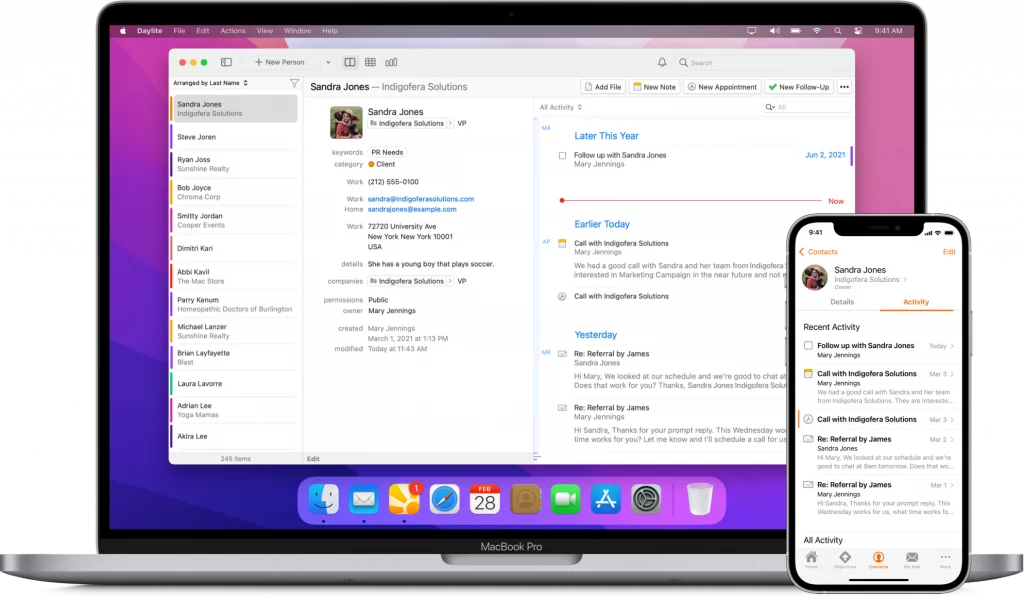
Daylite is an award-winning CRM and productivity app made exclusively for your Mac, and it’s now Monterey ready! Daylite goes beyond the essential CRM experience or project management tool for small businesses. Daylite is the only Mac-focused CRM and productivity app that seamlessly integrates with Apple devices and most of the built-in Apple apps and features, like direct Apple Mail integration, so you and your team can capture all email communication in one place.

That means you can create opportunities, appointments, and tasks in Daylite right from your Apple Mail. Daylite empowers small businesses by improving team efficiency and making collaboration easy—everything is organized, searchable, and accessible (even offline). You and your team can easily access information and use smart lists to segment data tailored to your specific client story. You can manage and share everyone’s schedules, project status, and next steps, all done in Daylite

If you live by the mac, you’ll love Daylite. Start your free 30-day Daylite trial today!

Become the Boss of Your Email With SaneBox (Sponsor)

Did you know that the snooze button isn’t only for your alarm clock? With SaneSnooze, you can snooze on your emails as well. SaneBox, this week’s sponsor at MacSparky, helps me prioritize my email with the SaneSnooze feature.

There are emails that you don’t have to act on right now, and that’s where SaneSnooze comes in handy. I can snooze the less important emails until I want to respond. The email disappears from my main inbox. Not delete disappear, but more of a I’ll-deal-with-it-later situation because SaneSnooze will hide the email until the time I say I’m ready for it to show back up in my inbox, and I can give it my attention when I’m ready to deal with these kinds of emails.

And SaneBox lets you choose how long you want to snooze. You can set your Snooze Folders to SaneTonight, SaneTomorrow, SaneNextWeek, SaneNextMonth, or whatever you think works best for you. When you move an email to your chosen SaneSnooze time, that email will disappear from your inbox, and then SaneBox will move that email back into your inbox at the time you’ve designated it. Want to deal with email on your terms? Click here to sign up for a free trial, and you can get a $10 credit you can use towards a SaneBox subscription

Get More Done with Textexpander (Sponsor)

A shoutout to TextExpander, MacSparky’s sponsor this week. I’ve been a user of TextExpander for a long time. It’s been a real difference-maker in my workflow by doing a lot of the work for me.

TextExpander supports a variety of macros, and one supported macro is the Tab key. What does that mean for you? TextExpander can insert some text, press Tab for you, then insert more text.

For instance, I regularly send my assistant emails with updates about the latest Field Guide I’m working on. TextExpander allows me to use just a couple of keystrokes and I can start the new email and then trigger a snippet.

The beauty of TextExpander is the snippet will automatically type my assistant’s email address, press tab, put in the the same email subject line, press tab, and fill in a general template for the body of the email. The cursor is ready for me and placed right where I need to start typing the new information for the week. That’s a more efficient use of time. And that’s what TextExpander can do for you: allow you to take your time back. Get 20% off your first year. Leave the boring, repetitive tasks in the past: get TextExpander and focus on what matters most.