

I’m happy to welcome back PowerPhotos as a MacSparky sponsor. If you spend any real time inside Apple Photos, you know what’s missing. PowerPhotos fills those gaps, and has been doing it for years.
Apple Photos was built on the idea that you have one library and you trust the algorithm. Brian Webster and the team at Fat Cat Software built PowerPhotos on the idea that you might want more control than that.
The Feature Set
- Manage multiple Photos libraries from a single place. No more launch-and-quit dance to switch between them.
- Find and remove duplicate photos, freeing up storage on your Mac and in iCloud Photos.
- Merge libraries together, preserving albums, edits, and metadata.
- Batch edit metadata on titles, captions, and keywords with fast keyboard-driven editing.
- Run advanced exports with a level of control Apple Photos doesn’t surface anywhere in its own interface.
Each one of these is something I’ve reached for at least once over the years. The library merge is the killer feature for anyone who started with iPhoto, ended up with three or four parallel libraries, and now wants to consolidate without losing the work already in there.
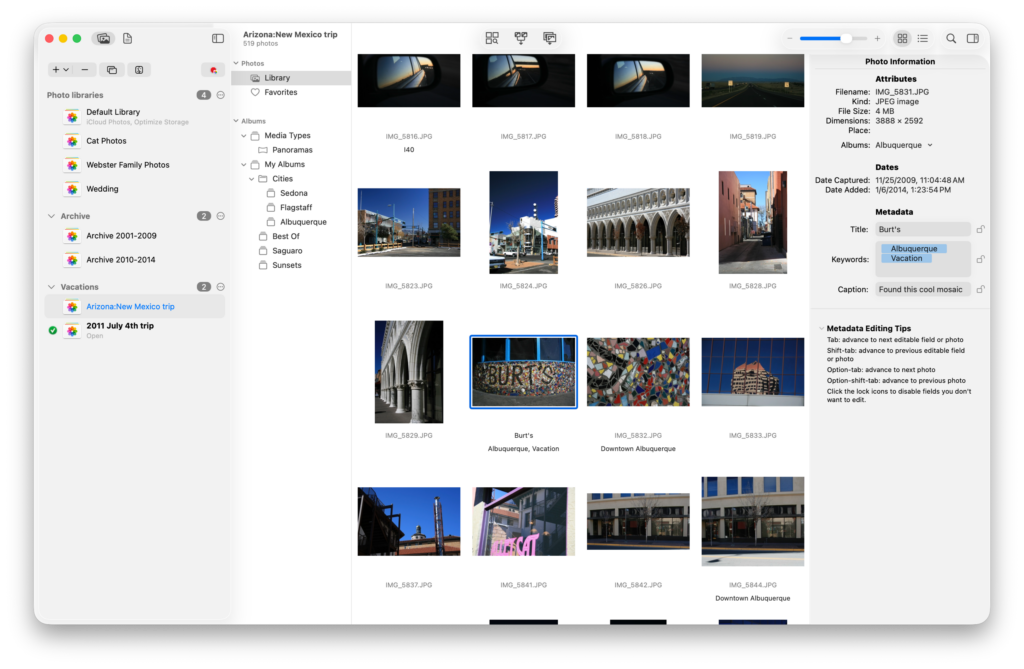
Recent Updates
PowerPhotos 3.2 added new export options, including XMP support and the ability to export a full library in one shot. If you care about your metadata surviving the trip out of Apple Photos, XMP is the right answer.
PowerPhotos 3.3 brought extensive Shortcuts support. More than 30 actions covering library management, exports, finds, and tagging. You can build a shortcut that finds every photo from a trip, copies it to a separate library, and tags it on the way through. Apple Intelligence and the MCP wave will make Shortcuts support a lot more valuable, and PowerPhotos is one of the apps that’s already there.
Try It
PowerPhotos is a free download and gives you plenty without paying anything. Paying for a license adds the advanced features. Deleting duplicates, merging libraries, and unlimited copying, exporting, and metadata editing all come with the paid version.
If you already own PowerPhotos, or even the old iPhoto Library Manager, your existing key gets you 50% off the upgrade. Everyone else can use coupon code MACSPARKY26 for 20% off, for a limited time.
I write about getting more from your Apple gear. If this was useful, go deeper in the Labs or grab the weekly newsletter.