I’m so happy to announce the release of the Shortcuts for Mac Field Guide. (Standard Edition) (Plus Edition) I first started production on this Field Guide last August, and it is now ready for the world.
There are 132+ lovingly crafted screencasts totaling over 8.5 hours of content. Where appropriate, the tutorials also include downloadable Shortcuts that you can install and run alongside the video.
This Field Guide is releasing with two different versions. The standard version includes all the 132+ videos, 8.5 hours of content, and downloadable shortcuts. There is also a “Plus Edition” that includes everything in the standard version and an extended webinar series on Shortcuts just for Plus Edition customers. The webinars (there will be hours of them) will also get added as downloadable videos to the Plus Edition of the Shortcuts Field Guide.
You can buy it now and, for a short time, there is a launch discount.
I believe Apple when they say they view Shortcuts as the future of automation, and the good news is Shortcuts is the most accessible automation platform Apple has ever shipped. I spent a lot of time building this course, and I’m thrilled to now be sharing it with you.
It’s been a while but Jeff Richardson is back to share his Home Screens. Jeff’s an attorney who not only writes the technology blog iPhone J.D., but also cohosts the podcast In The News. So, Jeff, show us your Home Screens.
How Are Are You Using Widgets on Your Home Screens?
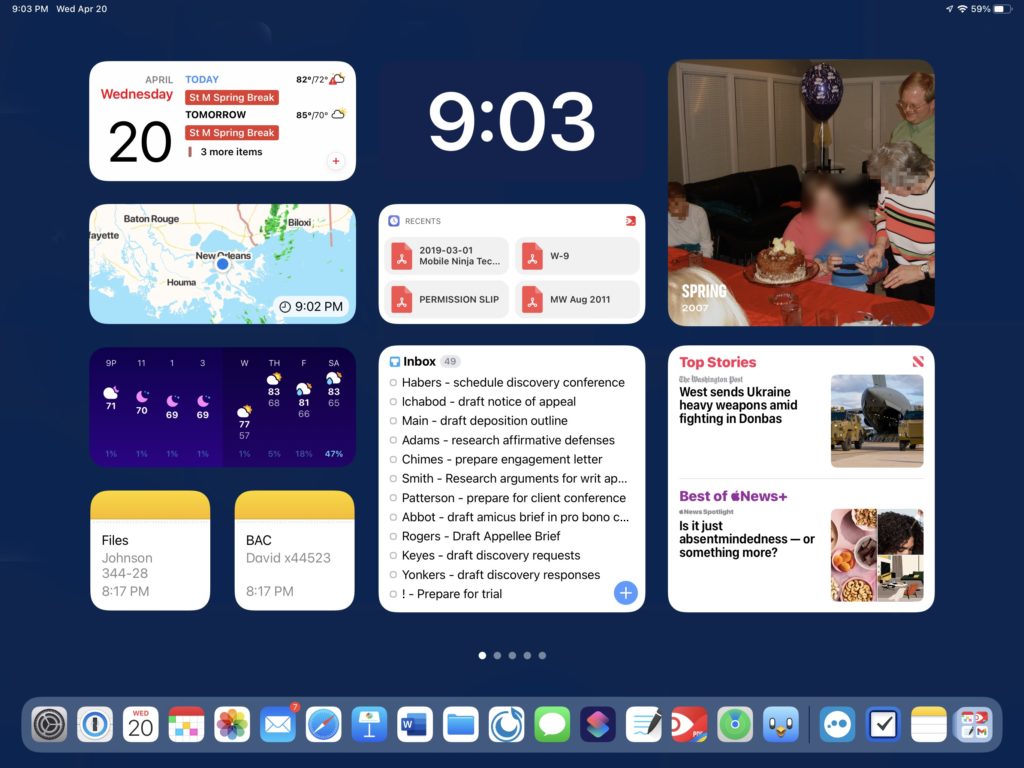
The Home Screen on my iPhone changed substantially in the fall of 2020 when Apple added the ability to use widgets. A year later, Apple brought this feature to the iPad, where it had an even larger impact for me because my iPad Home Screen is now all widgets. I love having the information that I am likely to want displayed directly on my Home Screen. That way, I can see the important information at a glance without having to open up an app to see the information that I want.
The dock on my 12.9” iPad Pro can display 17 app icons that I select, plus three app icons for the three apps that I used most recently other than one of those 17. Most of the time, the app that I want to launch is one of those 20 apps, so there is no reason to devote any of the real estate on my first iPad Home Screen to app icons. Instead, the Home Screen of my iPad acts like a dynamic white board containing lots of key information.
My first column starts with a Fantastical widget so that I can see the next few items on my calendar. Next, I have two widgets created by the fantastic CARROT Weather app, one that shows a radar and one with the weather forecast for the day and week. Finally, I have two Notes shortcuts that bring me specifically to two notes that I use all the time. For example, one of them contains the file numbers for each of the cases that I am working on in my practice, which is something that I refer to frequently for various reasons.
The top of my middle column features perhaps my favorite widget: the time. I created it using Widgetsmith, matching the widget to my background color so that it appears as if the time is just sitting on my Home Screen. I love being able to glance for just a fraction of a second at my Home Screen to see the time without having to squint to see the time at the top left of the screen. The next widget comes from PDF Expert, giving me a shortcut to go back to one of the last four documents that I viewed in PDF Expert. The final widget in this column is associated with Things, my task manager app. Thanks to this widget, I can glance at my Home Screen and see my most time-sensitive tasks without having to open up the Things app.
The top of my third column is the Photos “For You” widget. I have around 50,000 photos in my library, and I love how this widget changes frequently to show me a photo to bring back a memory. It is so much better than displaying a single, unchanging photograph in a frame on my desk! After that I have the “Today” widget from the Apple News app, and I love being able to see the top news headlines throughout the day.
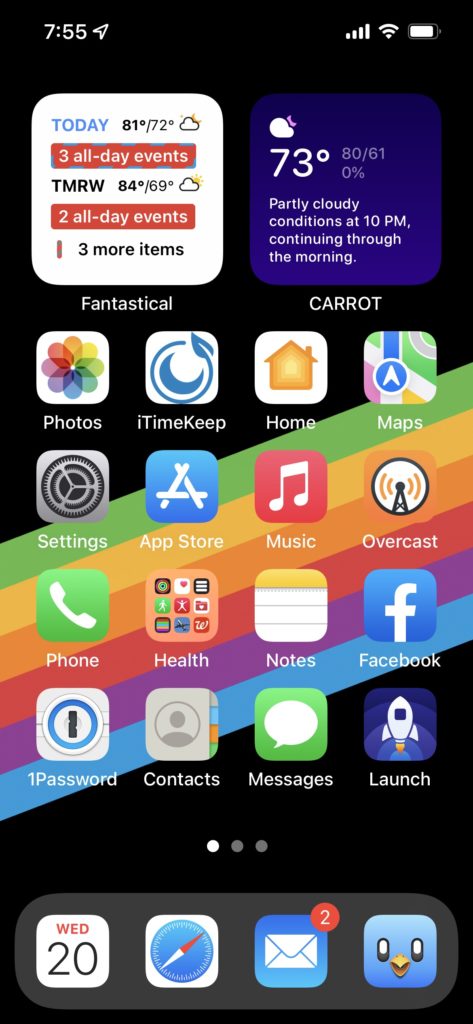
On my iPhone, I only devote two 2×2 spaces to widgets because I also like having space for my most-used apps. On the top left, I have a stack of Fantastical and Things. I like how you can stack multiple widgets and see different widgets at different times of the day. On my iPad, I have enough space to give every widget I want its own location. But on the iPhone, stacking is useful. On the top right, I have a stack that includes the Photo widget and a CARROT Weather widget.
What Are Some of Your Favorite Apps?
I could probably rave for many paragraphs about each of the 20 apps on my iPad dock, but I’ll mention two. First, I don’t think I could live without 1Password. Of course, I use it for my passwords, but I also store a large number of other important and personal information in there.
When you last asked me to show off my Home Screen in 2013, I said that the one app that I was missing was Microsoft Word on my iPad. That app came out in 2014, and I still use it every day. Indeed, I have been using Word since 1988, when it was an essential program on my Mac Plus. I don’t do a lot of original writing in Word on my iPad in Word, but I frequently review and edit Word documents on my iPad.
On my iPhone, Overcast is one of my favorite apps. I love listening to podcasts, and Overcast does a fantastic job of fetching and organizing my podcasts. Plus, it has a great interface, and the Smart Speed and Voice Boost features improve the listening experience. Sometimes I use it with AirPods Pro, sometimes I use it with CarPlay, and sometimes I even just use the iPhone’s built-in speaker. But no matter how I listen to podcasts, Overcast works well.
What App Is Your Guilty Pleasure?
I enjoy playing Good Sudoku, an app that is not only fun but also teaches you how to be a better player. I purchased it soon after it first came out, but there is now a version that is part of Apple Arcade for those who subscribe to that service. It is my “guilty” pleasure because I often find that it has sucked 30 minutes of my time that I suppose I could have devoted to doing something more productive. That’s one of the reasons that I enjoy playing Wordle in Safari every day; it is fun, but doesn’t take much time.
What App Makes You the Most Productive
It’s a tie between two apps. I work with a lot of documents in my law practice, which tend to be in PDF format, and Readdle’s PDF Expert is my app of choice for reading and annotating those documents. I also take a lot of handwritten notes as I am doing legal research, preparing for an oral argument, meeting with a witness, attending a meeting, etc., and the GoodNotes app works incredibly well with an Apple Pencil.
What App Do You Know You’re Underutilizing?
Things. My wife uses that app extensively, and she has lots of different types of lists, tasks associated with dates, etc. But I just have a single list of to-do items, with no dates attached to them. I like that I can drag a task closer to the top if it is more important.
What Is Your Favorite Feature of the Iphone?
I love that my iPhone can keep track of virtually all of the information that is important to me so that I don’t have to waste time trying to remember things. Almost every name, number, date, etc. that I need is likely in there somewhere. That way I can devote my brain power to other things, like coming up with creative solutions for clients in my law practice or just enjoying life when I’m not working.
Indeed, one of the single most useful features of my iPhone and Apple Watch is that I can tell it to remind me of something at a specific time or when I’m in a specific place. That way, I don’t have to fret about trying to remember something, and when I actually need to be reminded of it, the Reminders app lives up to its name.
If You Were in Charge at Apple, What Would You Add or Change?
I wish that the iPad would more quickly add more advanced features so that it could replace a laptop even more. I recognize the difficulty of adding power while maintaining ease of use, but today’s iPad is much more sophisticated than the original iPad of 2010 while still being easy to use, so it is definitely possible to do both. I just wish Apple would do it more quickly.
My thanks to TextSniper for sponsoring MacSparky.com this week. This is an app that I use … often.
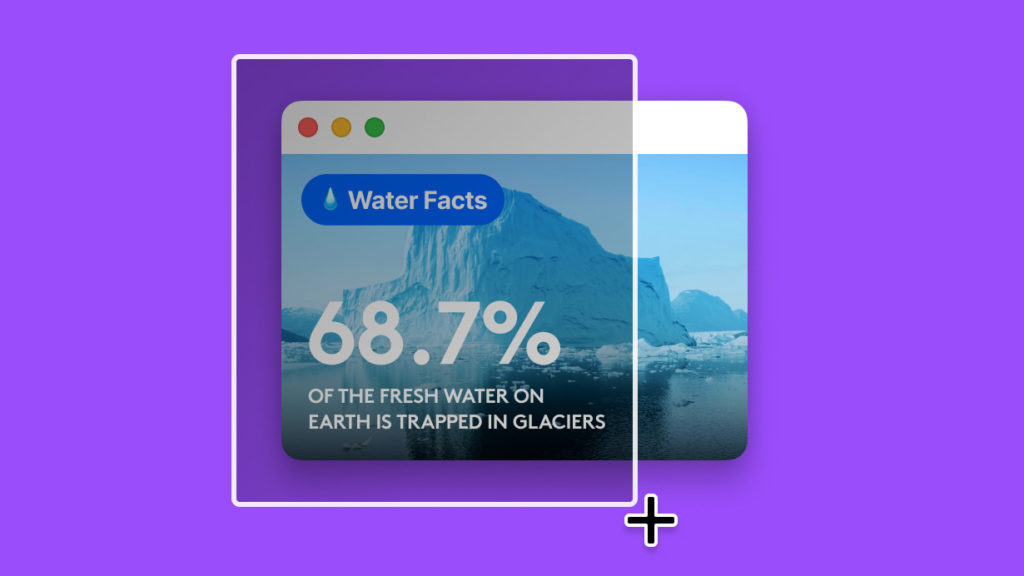
TextSniper is a Mac OCR app that can extract text anywhere on your Mac’s screen and automatically save it to your clipboard so that you can paste it anywhere you need it. It can even read the text to you. The whole thing works a lot like the built-in screen capture on the Mac, just way more powerful.
Also, TextSniper doesn’t collect your data. The text recognition is processed on your Mac and does not require an internet connection.
With TextSniper, you can:
Quickly get a text from PDFs, Zoom calls, Presentations, and Videos.
Copy text from anywhere, even images and websites that don’t let you select text.
Quickly grab data like email addresses, phone numbers, and links.
Read QR codes and barcodes.
Get text out of just about any image format, including JPG, PNG, GIF, TIFF, and BMP.
I find myself using TextSniper constantly in my daily work. Earlier this week I was signing up for a conference I’m about to attend. The website had a picture of my registration, but didn’t render it as text. That’s right. A picture. So when I needed to get my 12 digit sign up code, I just TextSnipered it out of the image into text and pasted it into the online form. Once again, TextSniper to the rescue.
TextSniper works with macOS Catalina and later and also works with Parallels Desktop
Get TextSniper now and enjoy the fastest way to copy uncopyable text, wherever it may be. Use promo code TS2022 to get an additional 25% off.
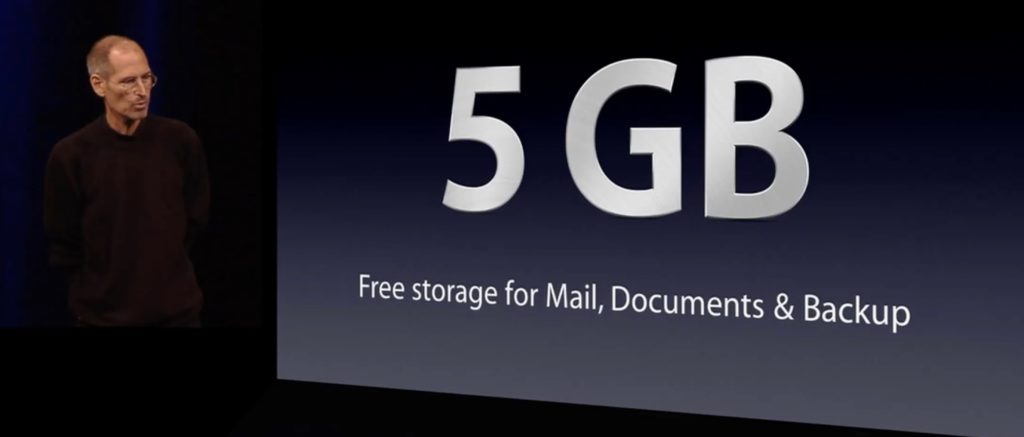
Apple first announced 5 GB of free iCloud storage in June 2011. Steve Jobs announced it. It has been eleven years, and a lot has changed. Our iPhone cameras have got a lot better and now take images that are much bigger than the iPhone 4 that was for sale in June 2011. Indeed, everything on our phones now takes more storage and is more cloud-friendly.
In the interim years, Apple has increased the amount of storage you can buy and lowered the price of that storage. Nevertheless, Apple has held the line at 5GB now for longer than the Beatles existed.
I just finished reading After Steve and one of the book’s themes is why services are so crucial to Apple now. At this point, I can’t think of any reason why Apple is keeping that limit at 5 GB other than a way to increase that line on the spreadsheet. I understand there is such a thing as Wall Street and investors. But I also understand there is such a thing as customers, and as we buy these thousand-dollar phones, 5GB is not enough.
Heading into WWDC this year, I would love to see Apple raise the free tier of iCloud storage to something more reasonable.
I continue to be delighted with my recent switch to Fastmail. I’ve been using it for about eight months, and I’ve experienced no downtime. It’s been rock-solid and … well … fast.
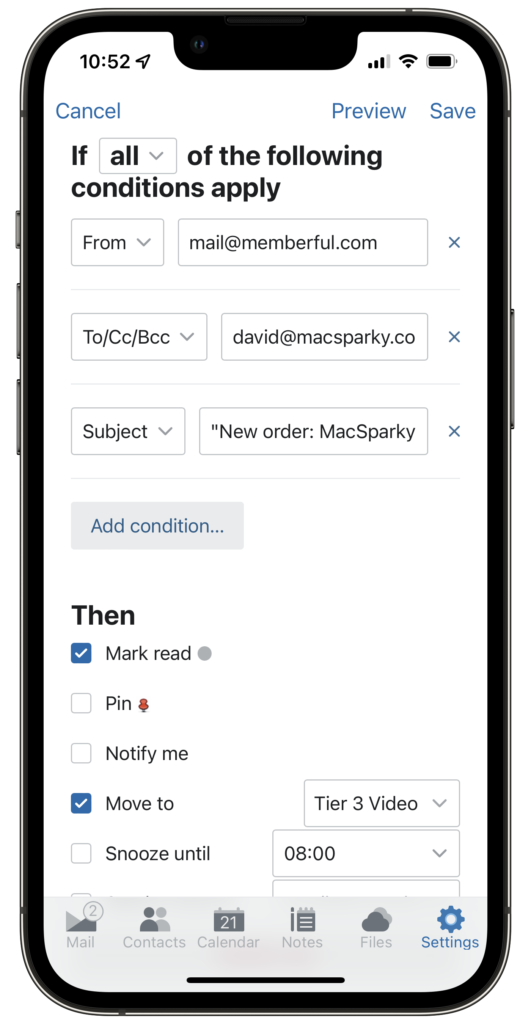
A few things I didn’t expect when I signed up is how good the iPad/iPhone apps are. They’ve got several features that I wish Apple Mail had. For example, I can re-arrange my mailboxes on the FastMail App where Apple Mail insists they be alphabetical. Also, I generally find email triage faster on the FastMail app, and since triage is about all I do with email on my iPhone, that’s great. Another nice touch in the iPhone/iPad app is that you can build highly complex rules and automations right in the app.
It gets better though. Fastmail just added some new features. You can now schedule when to send an email right from the app (or website).
If you’re like me and not interested in Gmail, you should take a look at Fastmail. I am kicking myself for not switching earlier.
MacStories boss Federico Viticci returns to Mac Power Users to talk about the iPad’s apparent stagnation and how the Mac has grown over the last few years. The guys also talk about Raycast, Shortcuts, Apple silicon, and more.
Joe Moyer is writing some great stuff over at his blog, 24 Letters. That name comes from an Athenodorus quote, “Whenever you feel yourself getting angry, Caesar, don’t say or do anything until you’ve repeated the 24 letters of the alphabet to yourself.” Of course Joe and I get along great! So, Joe, show us your home screens.
What are some of your favorite apps?
Craft has become my favorite app. I use it every day on all of my devices, and it’s a big part of how I keep track of what’s going on.
Readwise is another favorite that I interact with a lot. I post quotes weekly on the blog and have just started an Instagram account. I like starting my morning with the highlights email because it can help inspire new ideas and positively shape the day.
CARROT Weather is a favorite too. It’s so useful and such a thoughtfully designed and customizable app. It has a prominent spot on my iPad and iPhone, and I often check it.
I listen to a lot of podcasts, so I’m in Overcast often. I like the redesign a lot. It was an improvement without changing how I use and enjoy the app.
I use Day One to write a daily gratitude entry. I created a simple prompt and have a Shortcut set on my devices and my newly acquired Stream Deck. I also do deeper reflection in a separate journal, and I enjoy having separate spaces for the different types of writing.
For task management, my favorite is Todoist. I’ve been a subscriber for several years. I like the Kanban board style view to track larger projects and used it at my most recent corporate job to track the performance reviews I was responsible for every year. I like the natural language processing and the ease of use. It feels lightweight yet comprehensive.
Which app is your guilty pleasure?
Instagram. I enjoy staying connected with friends and family and following creative people on the platform for inspiration. I recently created an account for the blog at https://www.instagram.com/24lettersnet/to experiment and see how I can be creative in a different medium.
What app makes you most productive?
Craft is where I go to be productive. I organize the blog and elements of my personal and family life and find that it’s a joy to use and helps me stay on track with projects. I do my monthly and quarterly reviews in it as well.
I created a dashboard in Craft where I manage everything and have a shortcut on the Home Screen of both my iPad and iPhone. It’s constructive to see things at a glance.
Craft is a beautiful app, too, so that helps!
My runner-up is Ulysses. I’m using that to write the blog entries, and I like how clean the interface is. I can jump right into writing without distraction.
What app do you know you’re underutilizing?
Shortcuts! I’ve created a few simple shortcuts on my Home Screen, like opening a specific MindNode project or opening my daily gratitude journal in Day One. I like how it improves my focus and gets me to where I want to be quickly.
I’m deeply interested in focus and productivity and look forward to exploring Shortcuts more actively in the future!
What is the app you are still missing?
I still don’t have a great calendar app that I love. I’m going to explore Fantastical in the future. Right now, my “day job” is as a stay-at-home dad, so my schedule is rarely my own anyway!
How many times a day do you use your iPhone/iPad?
I’m on my iPhone a lot because I use it for everything from tracking my toddler’s daycare and my infant’s feeding and nap schedule, to organizing tasks and lists, messaging, and working on projects.
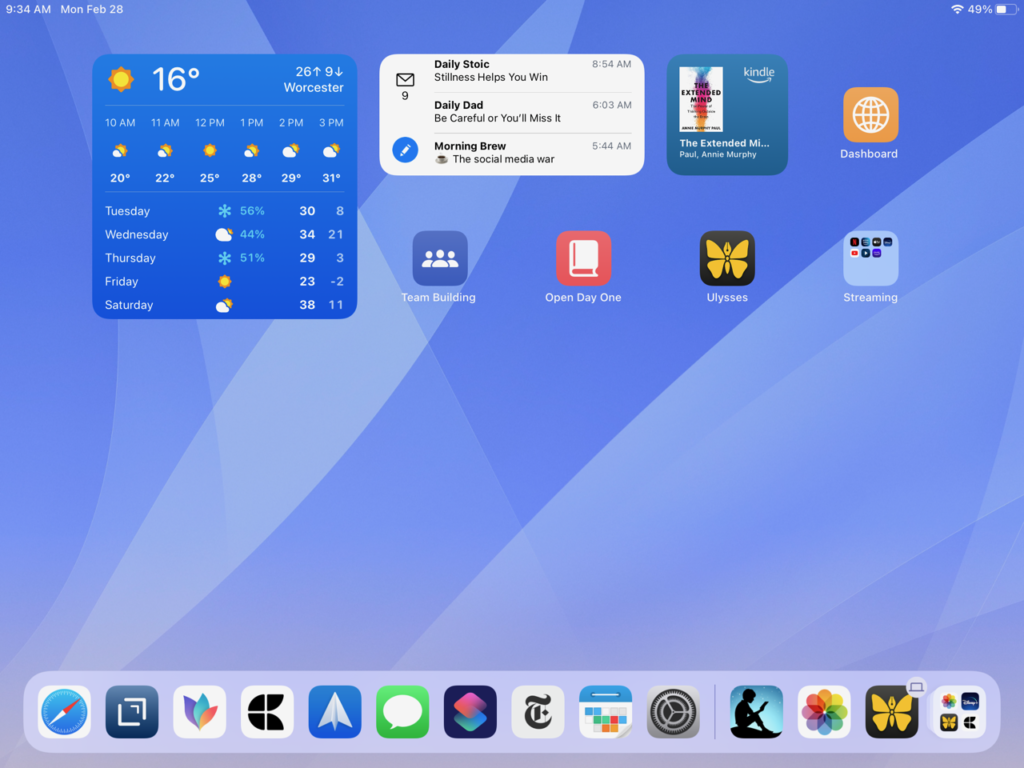
I am on my iPad several times a day as well. I use it as a tool for consumption, review, and idea creation. I watch content from YouTube and the big streaming services, read books on Kindle or news on the NYTimes app, or check in on my dashboard in Craft. I also like to do my monthly and quarterly reviews on the iPad.
What Today View widgets are you using and why?
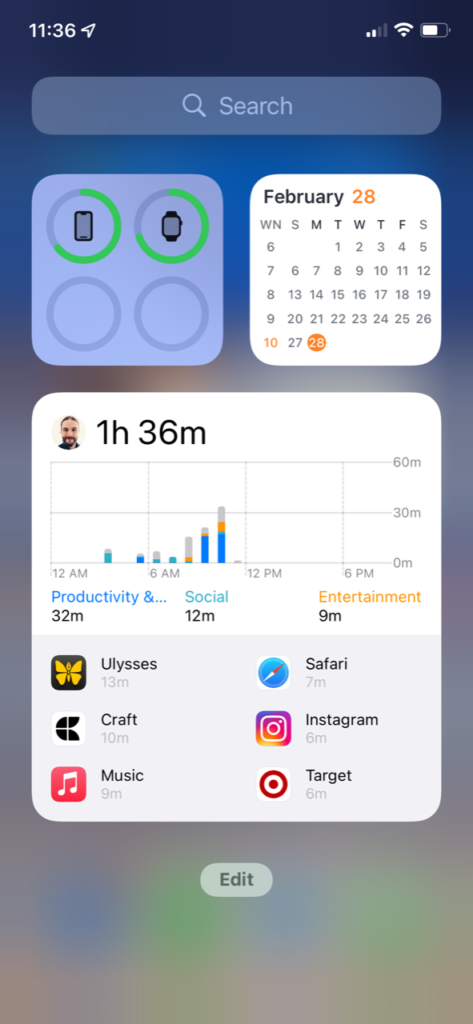
I keep my Today View pretty simple, with my battery status on the top left, the month view of my calendar on the top right, and below that the productivity widget from Todoist because it’s fun to see my stats. I also keep my screen time widget here to see where my attention and efforts are going.
What is your favorite feature of the iPhone/iPad?
On iPad, split-screen went from something that I struggled to remember how to use effectively to something that I use all the time. Apple fixed that so successfully.
My favorite feature on the iPhone is Focus. I know it’s not exclusively on iOS, but that’s where I find it to be most helpful. I wrote on 24 Letters about how it helps me stay on track with my sleeping (despite a four-month-old baby’s best efforts not to sleep!).
If you were in charge at Apple, what would you add or change?
I’d provide more than 5 gigabytes of iCloud storage when someone buys a new iPhone. It’s just not enough!
Do you have an Apple Watch? Show us your watch face tell us about it.
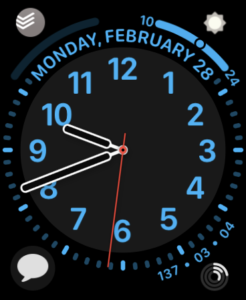
I have an Apple Watch Series 5 that I love. My complications include Messages, Activity, CARROT, and Todoist. I regularly use dictation to compose messages, and that’s even more helpful and necessary after a recent wrist injury.
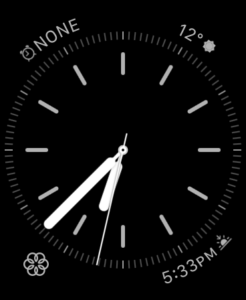
I use the California face during the active part of my day and have an automation to change to the Simple face in the evenings. I got the idea from an MPU episode, and I do this to help shift the context from the busy task-filled days to a more gentle data set for evenings and overnights.
On the Simple face, I have the alarm, sunrise/sunset, CARROT, and mindfulness complications.
My Apple Watch is several generations behind now, so I’m interested in what the Series 8 will look like.
What’s your wallpaper and why?
I’ve been using the Aqueux wallpapers on my iPhone and iPad for a while now. The iPad Lock Screen often has a recent family photo, but I prefer to keep the home screens simple to avoid visual distraction.
Anything else you’d like to share?
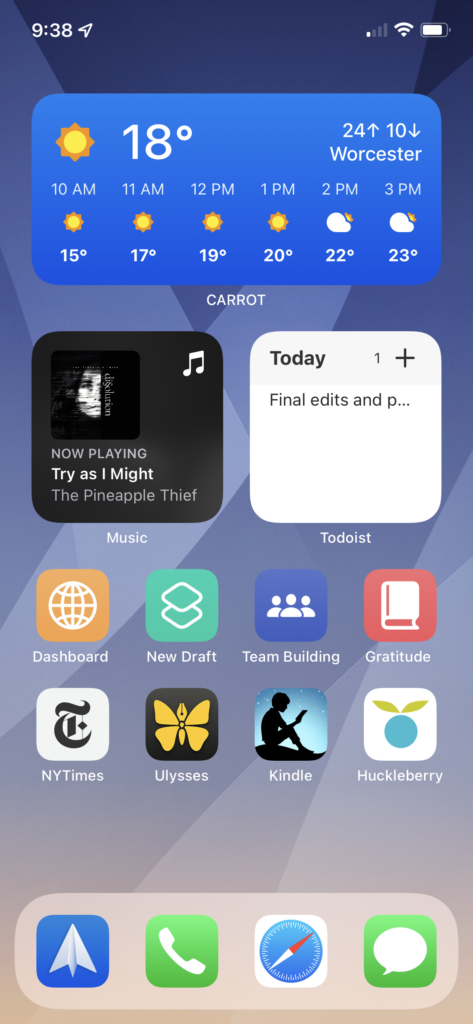
I’ve taken advantage of widgets and stacks, particularly on my iPhone. Apple Music and Overcast share a small stack, and Todoist, Calendars, and Photos share another.
CARROT gets its own medium widget space just because there’s so much data that I want at a glance. As I write this, it’s 62°, and yet there’s a winter storm watch for the coming days. Massachusetts weather is a mystery!
I keep things more straightforward on my iPad. I want to be able to unlock it and jump right in, whether it’s for creating or relaxation.
Finally, I want to say how much I enjoy this community. I’ve been a Mac user for almost 20 years and have followed MPU and many Relay FM podcasts for years. The MPU forum is practically a daily visit for me, and the positivity, kindness, and support that everyone gives each other is refreshing and welcome. I’m excited to share my voice as well, both on the forum and on my blog!