SoundSource: Complete Audio Control for Your Mac (Sponsor)

My friends at Rogue Amoeba are back to sponsor MacSparky, and this time I want to spotlight SoundSource, their essential audio control app for Mac.
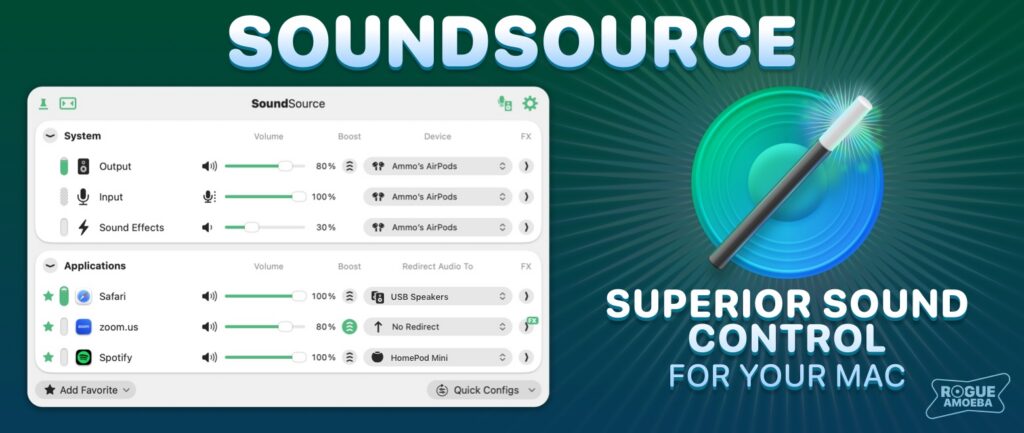
SoundSource provides audio control so useful, it ought to be built in to MacOS. Get instant access to your Mac’s audio settings right from the menu bar, along with powerful per-app volume and routing control, and the ability to apply effects to any app’s audio.

The newly released SoundSource 6 is a major upgrade, with dozens of enhancements. Highlights include:

  • Supercharged AirPlay support: Stream audio to HomePods, Apple TVs, and more.
  • Output Groups: Send audio to multiple devices at once.
  • Quick Configs: Save your entire audio configuration so you can switch setups with a click.
  • A powerful new Audio Devices window: Get deep control over settings for all your audio devices.

All of Rogue Amoeba’s apps offer fully functional free trials, so you can download SoundSource and be up and running in under a minute. And as a MacSparky reader, you can save 20% on SoundSource or any Rogue Amoeba purchase through the end of this month. Just use discount code SPARKYMARCH26 in their online store.

My thanks to Rogue Amoeba for supporting MacSparky and making Mac audio better for everyone.
AirPods Pro Beta Firmware Update Brings Improved Audio on Calls

When it comes to talking to my Mac, the audio quality for me is feast or famine. I’ve got a great podcasting microphone that I can turn on at any point and start talking to my Mac with very high-quality audio.

The flip side is that I’m using a Mac Studio, which does not have a built-in microphone. Neither does my Pro Display XDR, and I’ve never been particularly excited about putting a USB microphone on my desk when not talking into my podcasting mic. So, I’ve been solving this problem for the longest time by using AirPods.

If you put an AirPod in your ear, it records your voice to your Mac just fine. Well, let me make that sort of fine. The audio quality has never been anything worth writing home about. Making calls is particularly bad.

However, while making a call on my Test Mac running macOS Sequoia the other day (using AirPods Pro) I noticed the voice quality was much better. After a little sniffing around on the Internet, I discovered that this is thanks to a new beta firmware update on AirPods Pro.

Historically, the max audio quality would turn to garbage the moment you’re on a call using AirPods Pro’s microphones. But this latest beta firmware update allows for a sampling rate of up to 48 kHz.

I’m not sure how they pulled that off, but it is a vast improvement if you pay attention to that sort of thing.

Record Anything with Audio Hijack

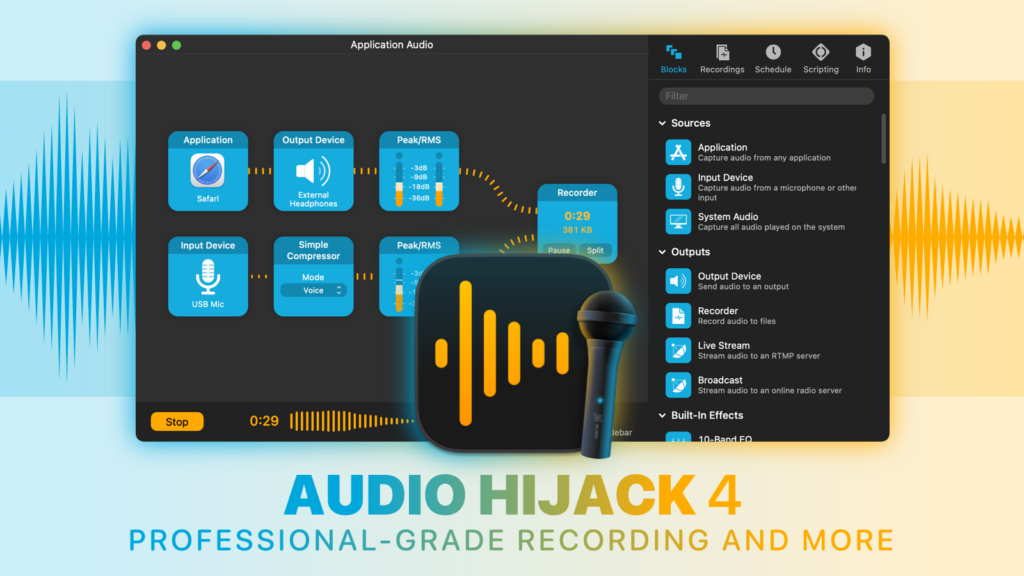
With Audio Hijack, you can record any audio on your Mac. Save audio from individual applications such as Safari or Zoom, record from hardware audio devices like microphones and mixers, or even capture the audio output of the entire system. Whatever you need to do with audio on your Mac, Audio Hijack can help.

– Record conversations from Zoom, FaceTime, and other VoIP apps

– Create podcasts, both remote and in-studio

– Save streaming audio from the web

– Digitize vinyl

– And so much more

I use Audio Hijack daily. I don’t know how I’d be able to do my work without it. It’s powerful, stable, and constantly improving. If you want to do just about anything with audio on your Mac, this is the app you’ll need.

Check out the latest version of the award-winning Audio Hijack today. Through the end of September, MacSparky readers can save 20% when purchasing using coupon code MACSPARKY20. Learn more and download a free trial on the Audio Hijack site.