Photomator for Mac

Last week Pixelmator released Photomator for the Mac. Photomator is the application which finds that Goldilocks position between Apple Photos and Pixelmator Pro. If you’re looking to make your photos look better, but you don’t want to get in the weeds, this is the application for you. 

I’ve always been impressed with the way Pixelmator incorporates artificial intelligence and other cutting-edge Apple technologies into their products. Photomator gives you the benefit of those technologies without the learning curve. Color adjustments. Batch editing features. Magical Repair and Clone tools. Even better, with iCloud support, whether you’re using Photomator on Mac, iPhone, or iPad, your edits will always stay in sync. 
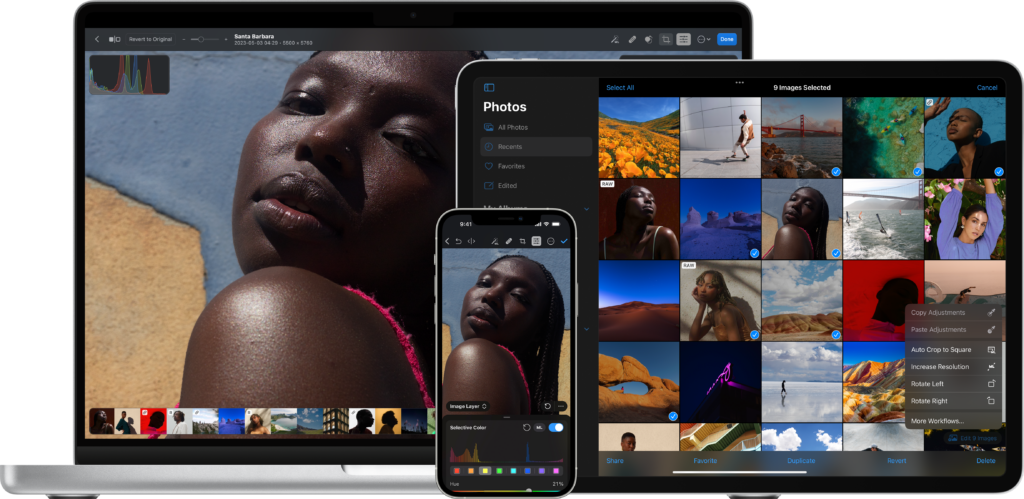
Watch below to see just how fast and simple Photomator is. 
Fix Your Photos with PowerPhotos 2.0 (Sponsor)

It’s a new year gang, and I’m guessing over the holidays you took a few pictures. How’s your Photos library doing? If it’s anything like mine, it’s a mess right now. 

Did you know there is an app to help you out with that? PowerPhotos is here to the rescue.

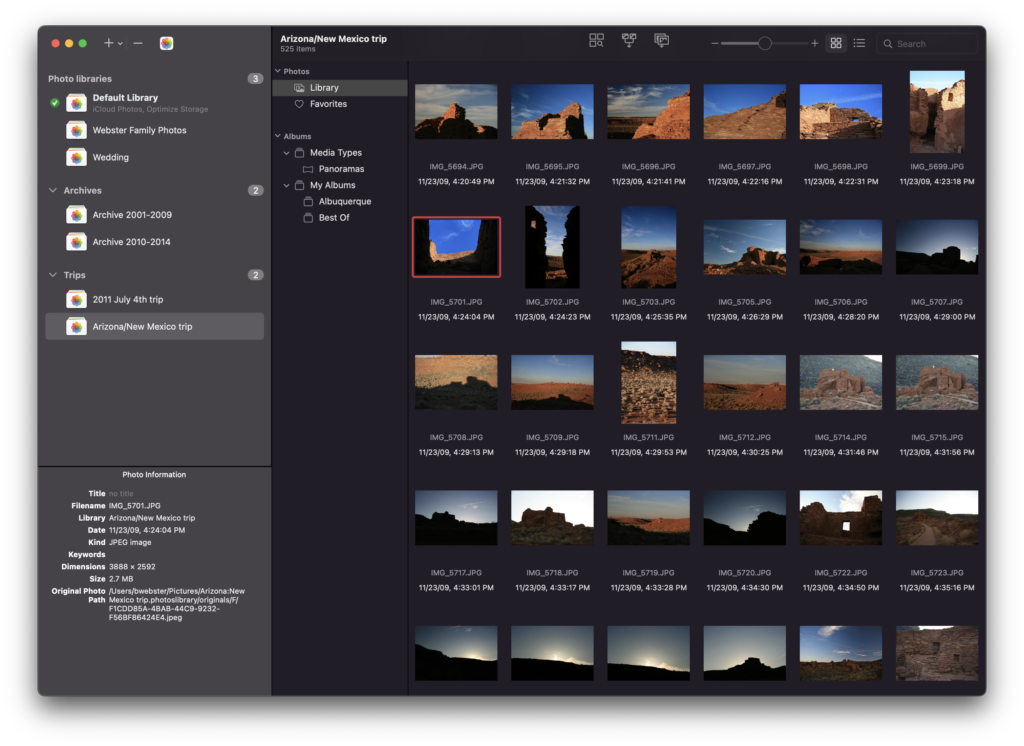
PowerPhotos works with the built-in Photos app on your Mac, providing an array of tools to help you get your photo collection in order. Find and eliminate duplicate photos, split up your library into smaller ones, merge libraries together, open libraries in separate windows, export photos/albums, and more. 

If you’ve got old iPhoto and Aperture libraries, PowerPhotos will convert those for you. There are a ton of features in version 2:

– Convert your old iPhoto or Aperture library to an equivalent Photos library
– Advanced export of photos/albums
– Full support for iCloud Photos
– New visual duplicate detection engineLibrary groups
– Global menu bar item
– Multiple windows 

PowerPhotos adds all the features to Photos that Apple never will. You can download PowerPhotos for free to check it out, and purchasing a license will unlock all the features of the program. MacSparky readers can get a 20% discount with the coupon code MACSPARKY23, and existing iPhoto Library Manager and PowerPhotos 1.0 users can also use their old serial number to receive upgrade pricing, 50% of the normal price.

So make the Photos app work harder for you with PowerPhotos 2.0. You can get it today.

Focused 178: Mike’s Big Adventure

Mike is finally a free agent. In this episode of Focused, he talks through the process and shares some tips for those considering making revolutionary change.

This episode of Focused is sponsored by:

  • Squarespace: Make your next move. Enter offer code FOCUSED at checkout to get 10% off your first purchase.
  • Indeed: Join more than three million businesses worldwide using Indeed to hire great talent fast.
  • Nom Nom: Healthy, fresh food for dogs formulated by top board-certified veterinary nutritionists. Prepped in our kitchens with free delivery to your door. Get 50% off.

Combining Time Tracking and Focus Modes (MacSparky Labs)

Focus modes can be such a game changer when it comes to protecting your time and attention. However, it can be easy to forget to trigger them.… This is a post for MacSparky Labs Level 3 (Early Access) and Level 2 (Backstage) Members only. <a href=”https://www.macsparky.com/join/”>Care to join?</a> Or perhaps <a href=”https://www.macsparky.com/?memberful_endpoint=auth”>do you need to sign in?</a>

Mac Power Users 693: Workflows with Mark Bramhill

Mark Bramhill’s name will be familiar to many, as he produced Welcome to Macintosh. On this week’s episode of Mac Power Users, Bramhill chats Stephen and me about his podcasting career, using a Mac mini as a home server, the power of Descript, and what it was like to create an emoji.

This episode of Mac Power Users is sponsored by:

  • 1Password: Never forget a password again.
  • CleanMyMac X: Your Mac. As good as new. Get 5% off today.
  • Zocdoc: Find the right doctor, right now with Zocdoc. Sign up for free.
  • Electric: Unbury yourself from IT tasks. Get a free pair of Beats Solo3 Wireless Headphones when you schedule a meeting.

Automators 128: Airtable Automation

Some of our favorite apps are upping their automation game. Join Rosemary and me on this episode of Automators as we talk about updates to Airtable, Drafts, and iOS.

This episode of Automators is sponsored by:

  • ExpressVPN: High-Speed, Secure & Anonymous VPN Service. Get an extra three months free.
  • Electric: Unbury yourself from IT tasks. Get a free pair of Beats Solo3 Wireless Headphones when you schedule a meeting.
  • Factor: Healthy, fully-prepared food delivered to your door. Get 50% off your first box.

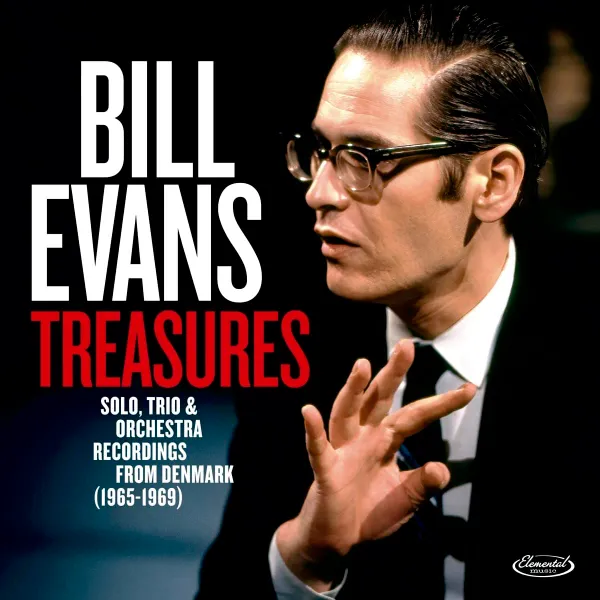
Jazz Friday: Bill Evans Treasures

Bill Evans is one of the best pianists ever to play jazz. He was the moving force behind Miles Davis’ outstanding Kind of Blue album. I once heard that Miles would sometimes call Bill and ask him to lay the telephone receiver on the piano and just play.

Bill was famous in his day and, as a result, got plenty of gigs. As a result, we’ve been getting plenty of previously-unreleased Bill Evans recordings, but a recent one, Bill Evans Treasures, is fantastic. It’s a series of recordings made in Denmark over four years (1965–1969).

There is a bunch of trio work and some features he did with the Royal Danish Symphony Orchestra and the Danish Radio Big Band. It is those recordings that I can’t stop listening to. Arranged by Palle Mikkelborg, the orchestrations are a fascinating showcase for Bill’s piano. You also can’t help but note how his playing changes with the bigger ensembles. It makes me wish more of the greats of that era had the opportunity to play in bigger groups like this and how they would have sounded. This album is a new favorite for me and can be a great start or addition to your Bill Evans collection.