CleanMyMac X Can Now Remove Suspicious Apps

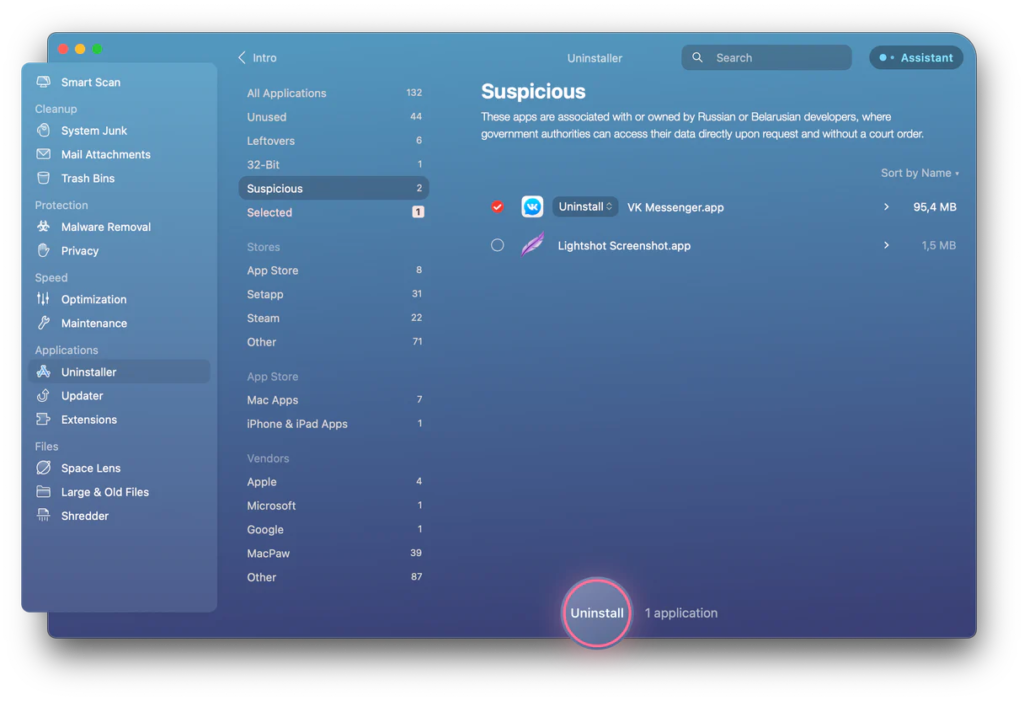
MacPaw, the Ukrainian company I wrote about a few weeks ago, has announced an update to their CleanMyMac X app with a new Suspicious Apps category to identify quickly, review and remove apps originating from Russia and Belarus to protect users from potential cyberthreats.

Legislation in Russia allows government and affiliated companies to access private information stored on servers in Russia without user consent or a court decision. Consequently, apps made or hosted in Russia and Belarus put your data at risk of government inspection at a minimum.

Of course, deciding what apps are safe and what apps are not is essential. The CleanMyMac X team does its best to avoid bringing safe apps to the suspicious list. Before making a decision, they use information from different sources, ask security experts, and contact the app developer whenever possible and reasonable.

I’m sure the MacPaw team has a lot on their plate right now, but as governments worldwide get increasingly aggressive about user data, I hope to see this feature expand. If you’re interested in CleanMyMac X, I’d recommend a Setapp subscription.


This Month in the MacSparky Labs

Sparky Logo Rainbow

We had a busy month in the MacSparky Labs during March. If you’d like to join, we’d love to have you.

  • 2022-03-29 – Looking Back at the Tight Rope (All Members)
  • 2022-03-28 – Task Manager Survey – The OmniFocus Baseline (Early Access and Backstage)
  • 2022-03-27 – Studio Build Update Part 2 – Plans! (All Members)
  • 2022-03-25 – Early Access: Journal Prompt Video and Blog Post (Early Access)
  • 2022-03-24 – Dictation Deep Dive (Early Access)
  • 2022-03-23 – Sparky’s Menu Bar (All Members)
  • 2022-03-20 – Week Planning with Sparky, Part 2 (Early Access and Backstage)
  • 2022-03-18 – Friends of Dave Interview with Daniel McCann (Early Access and Backstage)
  • 2022-03-16 – Make Fantastical Dance (All Members)
  • 2022-03-15 – Announcing the MacSparky Labs Geek Meter (All Members)
  • 2022-03-13 – Weekly Planning with Sparky (Early Access and Backstage)
  • 2022-03-12 – MacSparky Labs Updates for Early Access Subscribers (Early Access)
  • 2022-03-12 – More Thoughts on the Apple Peek Performance Event (All Members)
  • 2022-03-09 – Shortcuts for Mac Field Guide Status Update (All Members)
  • 2022-03-07 – Moving Text into the Web with Keyboard Maestro (Grammarly Example) (All Members)
  • 2022-03-06 – March 2022 Virtual Meetup (Early Access and Backstage)
  • 2022-03-03 – Testing the Stream Deck Pedal (Early Access and Backstage)
  • 2022-03-01 – Convert an Image from HEIC to JPG with Shortcuts (All Members)

SaneBox (Sponsor)

My thanks to MacSparky’s sponsor this week, SaneBox. One of SaneBox’s nifty features is that it can keep your email attachments in the cloud. If you’ve got Dropbox, Google Drive, Box, Evernote, or IBM Smart Cloud, any attachments that come through your email account can be automatically uploaded to your favorite cloud service with SaneBox’s SaneAttachments feature.

Some attachments, especially larger ones, can be trouble. They can fill up your storage or be hard to find. Some take too long to download and forward, especially if you’re using a mobile device. SaneAttachments solves these problems by automatically moving your file attachments from incoming emails and organizing your attachments, making it easy to find. And you can still forward these emails as you normally would, or you can send someone the link to the attachment. This way, you can keep your inbox fit and trim and make sure that only important email stays, and you can still find and get your files when you need them.

You can try SaneBox out for yourself. Use this link to sign up for a free trial and get a $10 credit you can use towards a SaneBox subscription.

CARROT Weather 5.6

Today CARROT Weather released its latest update with the addition of locations lists, tab bar customization, and new layout sections. To me, CARROT Weather is the poster child app for user interface customization. With this latest update, the developer just further piles on. CARROT Weather lets you, in essence, design the user interface to match your own needs and desires. I wish more app developers would follow suit.

Focused 148: Savoring the Moment, with Chris Bailey

Chris Bailey is back on the latest episode of Focused to talk about his dopamine fast, the art of savoring, and avoiding the productivity racket.

This episode of Focused is sponsored by:

  • Squarespace: Make your next move. Enter offer code FOCUSED at checkout to get 10% off your first purchase.
  • Ahrefs: Improve your website’s SEO performance and get more traffic from search. Free for website owners.
  • Indeed: Get a free $75 credit to upgrade your job post.

Task Manager Survey – The OmniFocus Baseline

I’m starting a new series where I’ll be looking at some of the most popular task managers. Before getting started, however, here’s a look at how I’m currently using OmniFocus with my setup and favorite features. This feature set will be a baseline of sorts while I look at competing apps… This is a post for MacSparky Labs Early Access and Backstage Members only. Care to join? Or perhaps do you need to sign in?

Hands-On with the Mac Studio and Studio Display

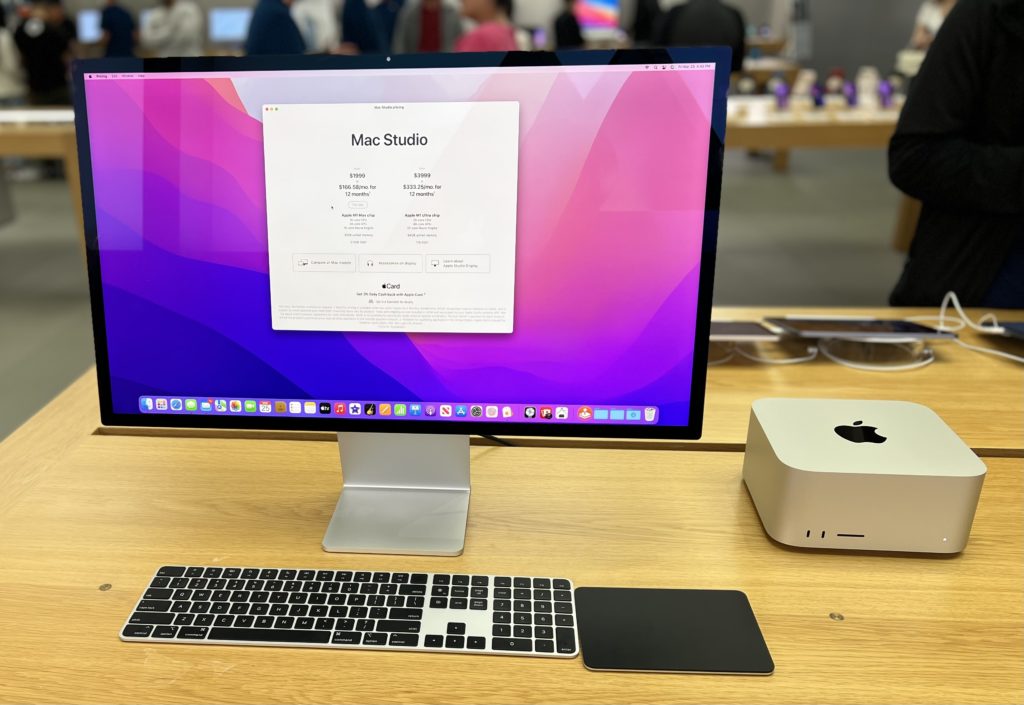
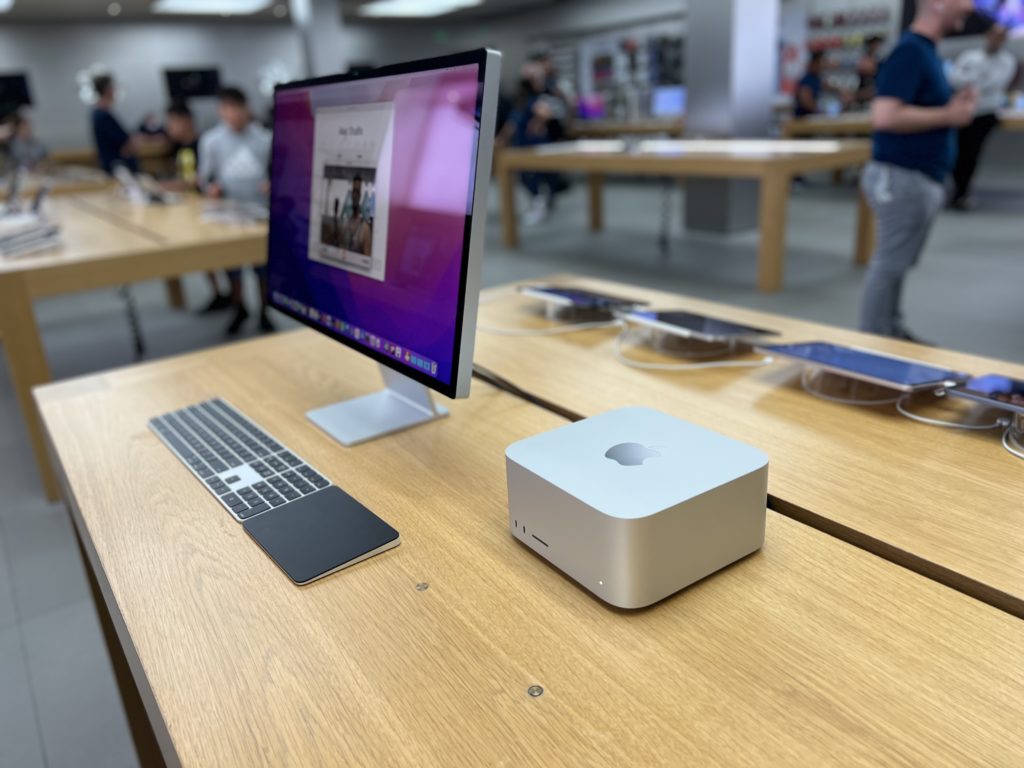
Over the weekend I got to spend some time in the Apple Store with the new Mac Studio and Studio Display. This post just barely qualifies as “hands-on” since I only got about 30 minutes with the setup before moving along. Nevertheless, I have thoughts:

The Mac Studio

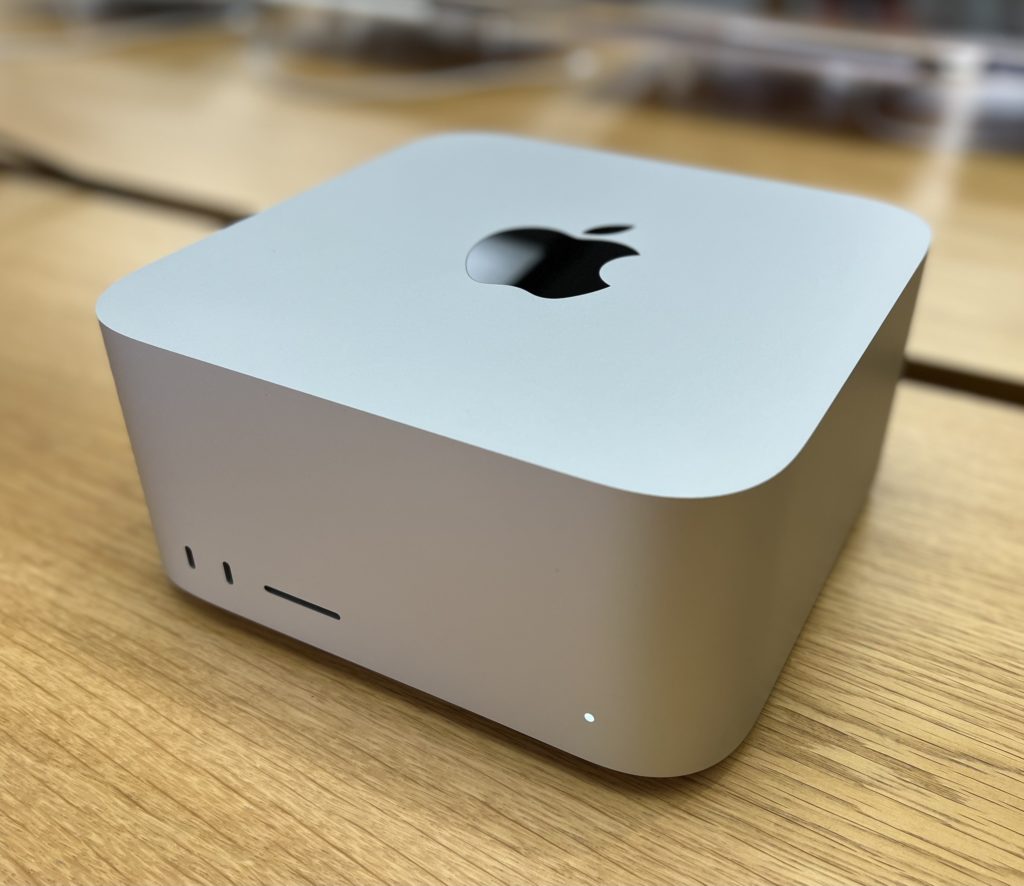
  • The Mac Studio looks nicer than I thought it would. When I first saw images of the Mac Studio, I thought it was kind of ugly, but in person it has a utilitarian “let’s get some work done” feel to it. I found myself running my fingers over its curves and kind of digging it. Still, I think I would have leaned into the idea of a cube more, but that’s what you’d expect from an old(er) Apple fan, right?
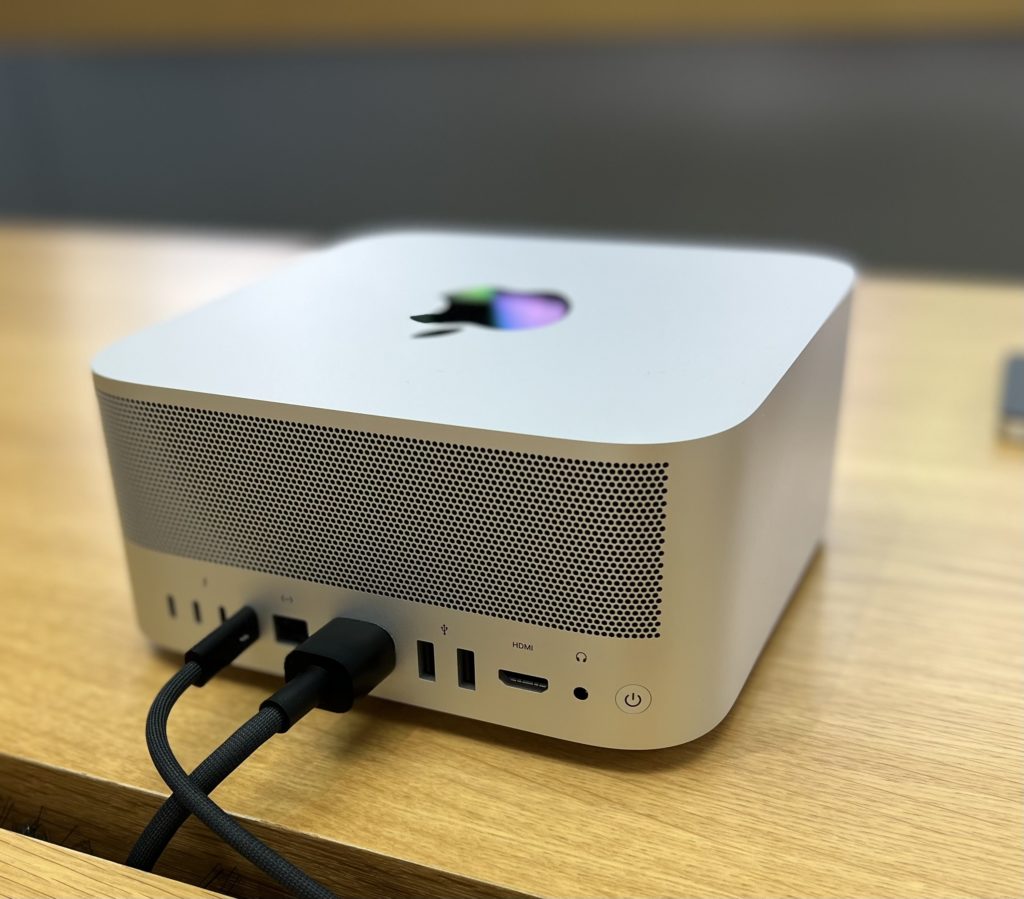
  • So much input/output. This was no surprise, but seeing a Mac in an Apple Store with I/O on the front seemed kind of great.
  • The only Mac Studio they had on the floor was the M1 Max model and performance-wise it felt exactly like my M1 Max MacBook Pro that I’m writing this on. No surprise there. It’s essentially the same computer.
  • I put my hands over both the ventilation input and output. You could definitely feel airflow. I put my ear next to it and couldn’t hear anything (but I was in a crowded Apple Store). Also, the ventilation holes are both smaller and more numerous than I expected.

The Studio Display

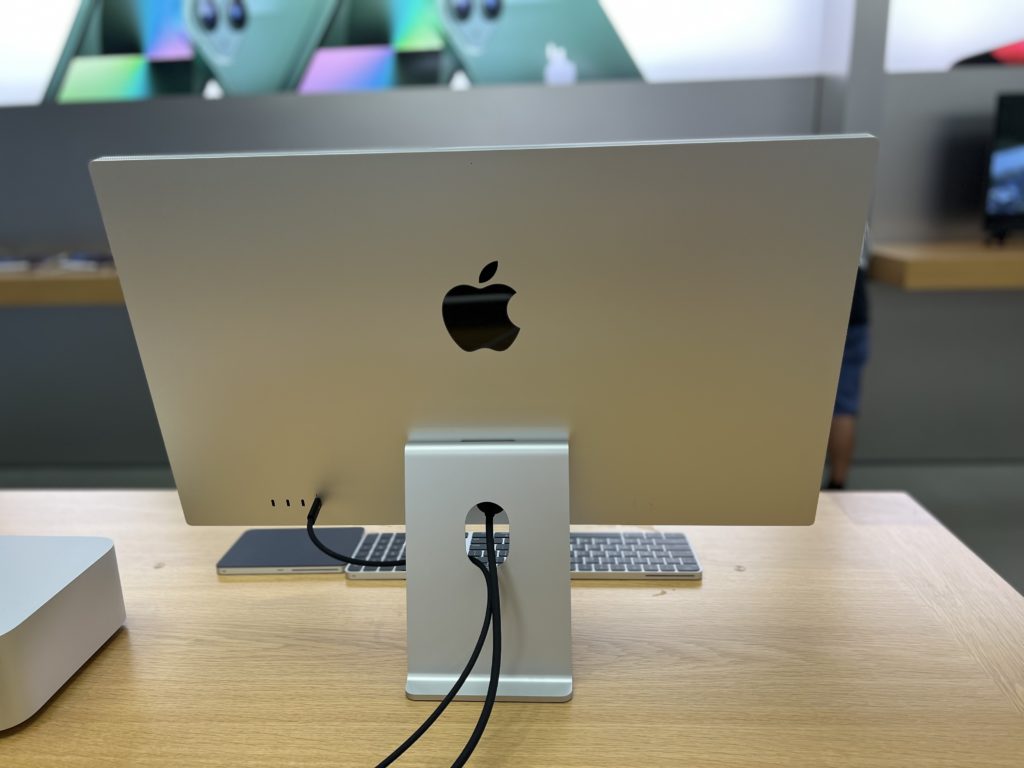
  • Maybe I’m an outlier, but Apple displays without the Apple logo or the chin look better to me than the old Thunderbolt monitors with all the branding.
  • The display looks great. Viewing angles are good and the colors look nice. The difference with this display and the Pro Display XDR in terms of color depth, screen size, and black blacks is obvious, but you could also buy three of these for the cost of an XDR (and all three of them would have stands).
  • The speakers sound good, but not particularly better than the MacBook Pro.
  • The video camera looked okay (but not great) to me. I know there is a software issue with these new displays but I’m with John Gruber. For this much money, I really wish they had put in the camera module from the back of the iPhone. (The display is much thicker than an iPhone.) If you buy one of these displays, it should last you a long time. That camera is going to look pretty bad before the display goes bad.
  • The stand looks nice, but is going to be too low for most people.

Overall, the pairing of a new Mac Studio and a Studio Display is a great-looking combo. I think a lot of people are going to really dig this setup.