I read this Bloomberg article reporting that the average age of the top 10 podcasts is seven years. The article makes the case for how hard it is to launch a successful podcast in a crowded market and while all of that is true, I don’t agree with the insinuation that it is somehow too late to make a relevant and popular show. In fact, this touches a nerve for me. This idea, that it’s too late to make a good podcast, is not new. When we were in the development stage of the Mac Power Users, we were told by several reputable podcasters that we were “too late” to start an Apple-related podcast. I remember one guy telling me there was “no oxygen left in the room.” Of course, that was not true.
Nobody looked at a Picasso painting and said, “That’s it, folks. We’ve reached Peak Art. There is no point doing any more painting.” The fact is that everything is evolving and every new voice leaves its mark.
I don’t care what kind of art you want to make, it’s not too late. It’s never too late.
Some good news as reported by 9to5 Mac. I’ve been using Maestral for months now as my Dropbox replacement client and I have no complaints. I’ll cover Maestral in more detail later, but the short review is: Fewer features. Less nonsense. No problems.
Unrelated, I also am hearing from sources that Dropbox is divesting from its substantial investment in buggy-whip factories. They’ve decided that the horseless carriage might be here to stay.
This week MacSparky is sponsored by Timing. Timing is a time tracking app that records your time automatically and then reviews it for you later.
It’s a new year and time to get rolling with some new habits. The problem is that your perception of how you are spending your time is a lot different from reality. How can you make changes without good data? It’s hard to track your time if you’re doing a bunch of different things at once or don’t have the right tools.
That’s where Timing comes to the rescue. With Timing, you instantly see how you are spending your time so you can work more productively and make smarter decisions about how to spend your time.
The Timing app makes recording and reviewing your time easy with automatic tracking and a simple interface for adding details about what you did each day so you can see how much time was focused on each task. In addition, you can use Timing to share projects and times across your team while preserving each team member’s privacy.
Jason Snell did a retreat, and he liked it. I made this video a few years ago, but I think it is worth sharing again. When I did that video, I thought I’d be clever and make you sign up for my newsletter to get the PDF. In hindsight, that was dumb. If you’d like to do a retreat, here you go.
1Password: Have you ever forgotten a password? You don’t have to worry about that anymore.
TextExpander from Smile: Get 20% off with this link and type more with less effort! Expand short abbreviations into longer bits of text, even fill-ins, with TextExpander from Smile.
Electric: Stop stressing over scattered devices. Get a free pair of Beats Solo3 Wireless Headphones when you schedule a meeting.
Squarespace: Make your next move. Enter offer code MPU at checkout to get 10% off your first purchase.
This is a post for MacSparky Labs Members. Care to join?
Today I posted a new video for the MacSparky Labs members where I share my block schedule for the week and update you on some of the member features and benefits …
Fifteen years ago yesterday, Steve Jobs announced the iPhone and had a really good day. Granted back then the “figure out what Apple is making next” business wasn’t nearly so sophisticated, but he was truly able to pull a revolution out of his pocket.
Watching the Keynote again just reminds me how Steve was at the top of his game that day. The voice infections and the use of pauses and questions to create tension and then the release of that tension are all worthy of study if you speak in front of groups.
Sometimes the news can make you feel old. The iMac G4 turning 20 is one of those things for me. It does not seem that long ago to me that Apple came out with that cute little flat-screened flower-looking computer. Stephen Hackett made a great video celebrating the G4 iMac and today is the day you should watch it.
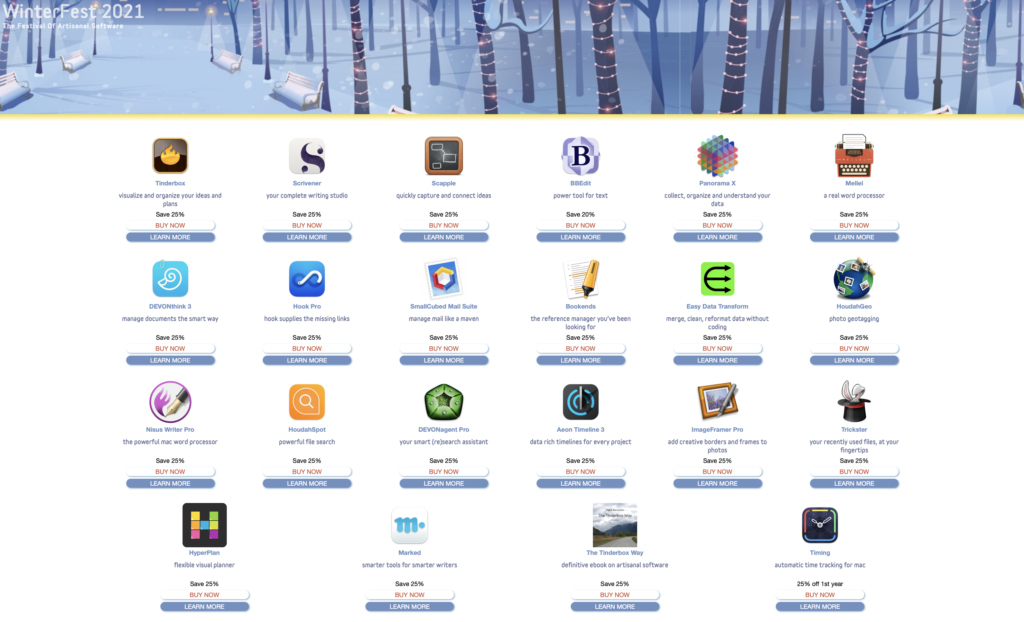
This year, I bought HyperPlan from WinterFest. It’s an interesting visual planning tool that lets me use a graphic model to connect ideas. This is just the kind of thing I can get excited about.
All of the software in WinterFest comes from long-time, respected Mac software developers that are all about making great software. Even though everything is discounted you’ll get full versions with complete support and upgrade privileges. Go check it out before the sale ends.